
 Tiếng Việt
The XM Shares Account is a dedicated account type that allows clients to trade real global stocks, as XM’s official shares page notes access to shares from the US, Europe, and the UK through XM’s trading platforms. Unlike other XM accounts that focus on CFDs across forex, metals or indices, this account is structured specifically around equity ownership-style trading conditions.
The XM Shares Account requires a different minimum deposit and lot size structure compared to the Standard, Micro, and Ultra Low accounts, as XM’s official account types page notes a minimum deposit starting from $5 for its Micro and Ultra Low accounts, with each account type applying its own specific lot size and trading conditions. The minimum deposit that applies specifically to the Shares Account is addressed separately later in this article rather than under this general $5 figure. Trading fees also follow a separate commission model rather than the pure spread-based pricing found on some other account types.
Trading costs on shares are typically reflected through spreads and commissions, and any withdrawal or inactivity-related conditions follow XM’s general account policies. These costs directly affect the total expense of holding real stock positions over time.
The XM Shares Account follows the same registration process as other XM account types, and as XM’s official help center notes, clients are required to provide proof of identity when opening an account, as detailed on XM’s official account creation FAQ, before real stock trading becomes available. Mbroker breaks down each step below to clarify what this account actually offers and how it fits within XM’s broader account lineup, starting with a direct look at what the XM Shares Account is.
What Is the XM Shares Account?
What Is the XM Shares Account
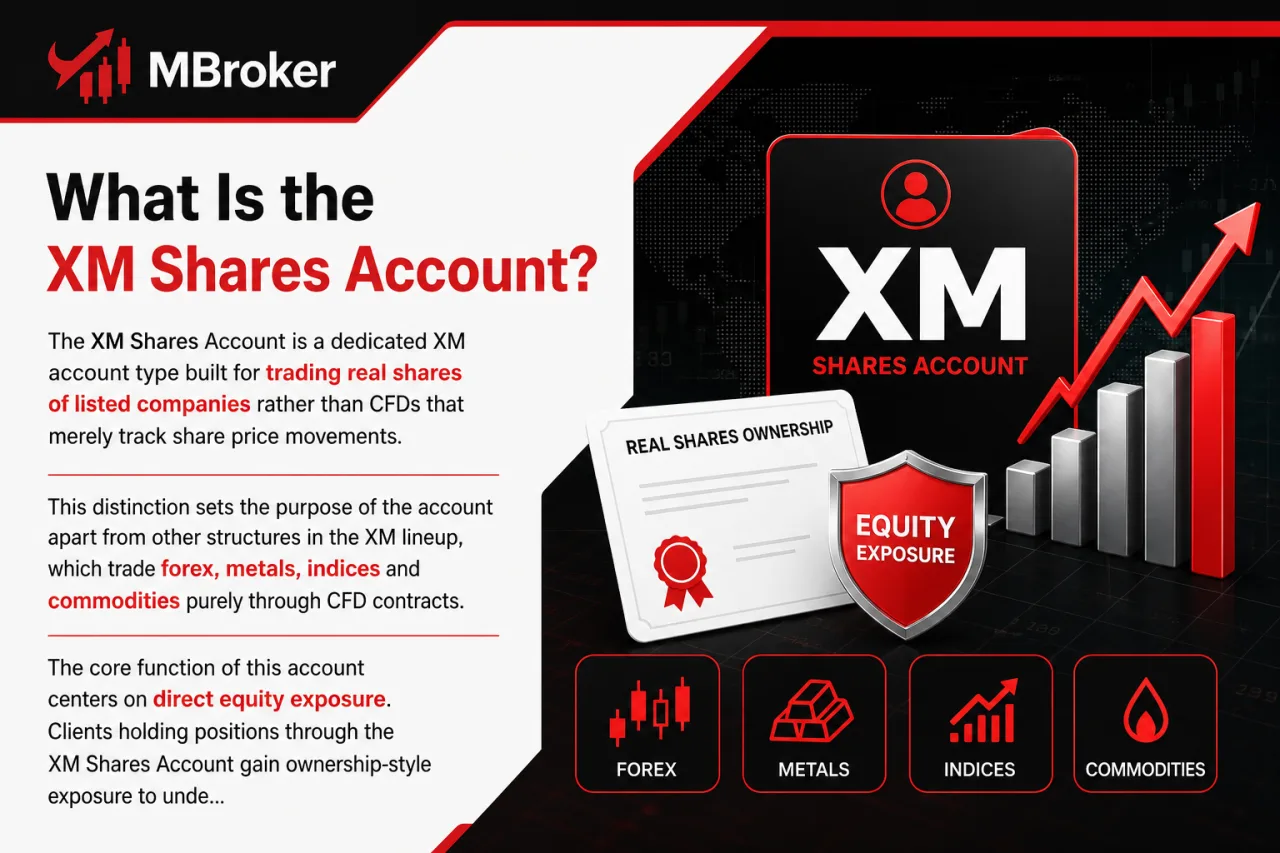
The XM Shares Account is a dedicated XM account type built for trading real shares of listed companies rather than CFDs that merely track share price movements. This distinction sets the purpose of the account apart from other structures in the XM lineup, which trade forex, metals, indices and commodities purely through CFD contracts.
The core function of this account centers on direct equity exposure. Clients holding positions through the XM Shares Account gain ownership-style exposure to underlying stocks instead of a derivative contract referencing the stock price, aligning trading conditions closer to those of traditional stock investing rather than leveraged CFD speculation.
Within XM’s broader account structure, the Shares Account stands apart on three fronts:
- Trading real equity positions instead of synthetic CFD instruments
- Applying commission-based pricing instead of the spread-only model used on standard CFD accounts
- Following separate deposit, lot size and instrument availability rules distinct from Standard, Micro or Ultra Low accounts
The following sections break down eligibility, supported entities, deposit requirements and trading conditions specific to this account type.
Which XM Legal Entities Offer the Shares Account?
XM offers the Shares Account through its regulated entities under the XM Group structure, with availability depending on the client’s country of residence and entity registration. This directly addresses which entities support the account.
Legal entities within the XM Group operate under separate regulatory licenses. The specific entity a client registers under determines which account types, including the Shares Account, appear available on the client portal.
The XM Group includes several regional entities, each holding its own regulatory license and its own scope of permitted products:
- Trading Point of Financial Instruments Ltd (Cyprus), regulated by CySEC, which typically supports the Shares Account alongside CFD offerings.
- Trading Point of Financial Instruments UK Ltd, regulated by the FCA, subject to UK-specific product rules that affect availability of the Shares Account.
- XM Global Limited, registered outside the EU/UK regulatory framework, generally offering a broader product range under its own local rules.
- Trading Point MENA Limited, serving clients in the Middle East and North Africa region under its own regional licensing terms.
Clients registering under an XM entity regulated in a jurisdiction that supports share trading gain access to the Shares Account. Clients registering under an entity restricted to CFD-only offerings may not see the Shares Account listed as an option.
Client classification, whether retail or professional, factors into which trading conditions apply once the account becomes accessible. Entity assignment depends on the client’s country of residence.
Prospective clients confirm which entity applies to them directly through XM’s official registration process or account creation FAQ. This step matters before assuming eligibility based on general marketing pages.
Who Is Eligible to Open an XM Shares Account?
Eligibility for the XM Shares Account depends on retail or professional client classification, country of residence, and completed identity verification, with retail clients forming the primary eligible group. This directly addresses the question of who qualifies for the account.
Retail clients registering under an XM entity that offers the Shares Account typically gain access once identity verification completes, though trading conditions such as leverage limits differ from those available to professional clients. Professional client status, where offered, generally changes margin and leverage conditions rather than blocking account access outright, but qualification for this status follows XM’s own assessment criteria.
Residency plays a direct role as well, since clients registered under an XM entity that does not support share trading may not see the Shares Account as an option, regardless of retail or professional status.
- Retail clients complete standard identity and address verification before the account activates.
- Professional clients meet XM’s separate qualification criteria before reclassification affects trading conditions.
- Residents under entities without share trading support do not gain access to this account type.
Opening the XM Shares Account follows the same account creation process as other XM account types, and as XM’s official help center notes on its account creation FAQ, clients are required to provide a Proof of Identity (POI), such as a colour copy of an official identification document, as detailed on XM’s official account creation FAQ.
Confirming exact eligibility, including which entity and client classification applies, remains best done directly through XM’s official registration process before assuming access based on general account descriptions.
What Are the Key Features of the XM Shares Account?
What Are the Key Features of the XM Shares Account
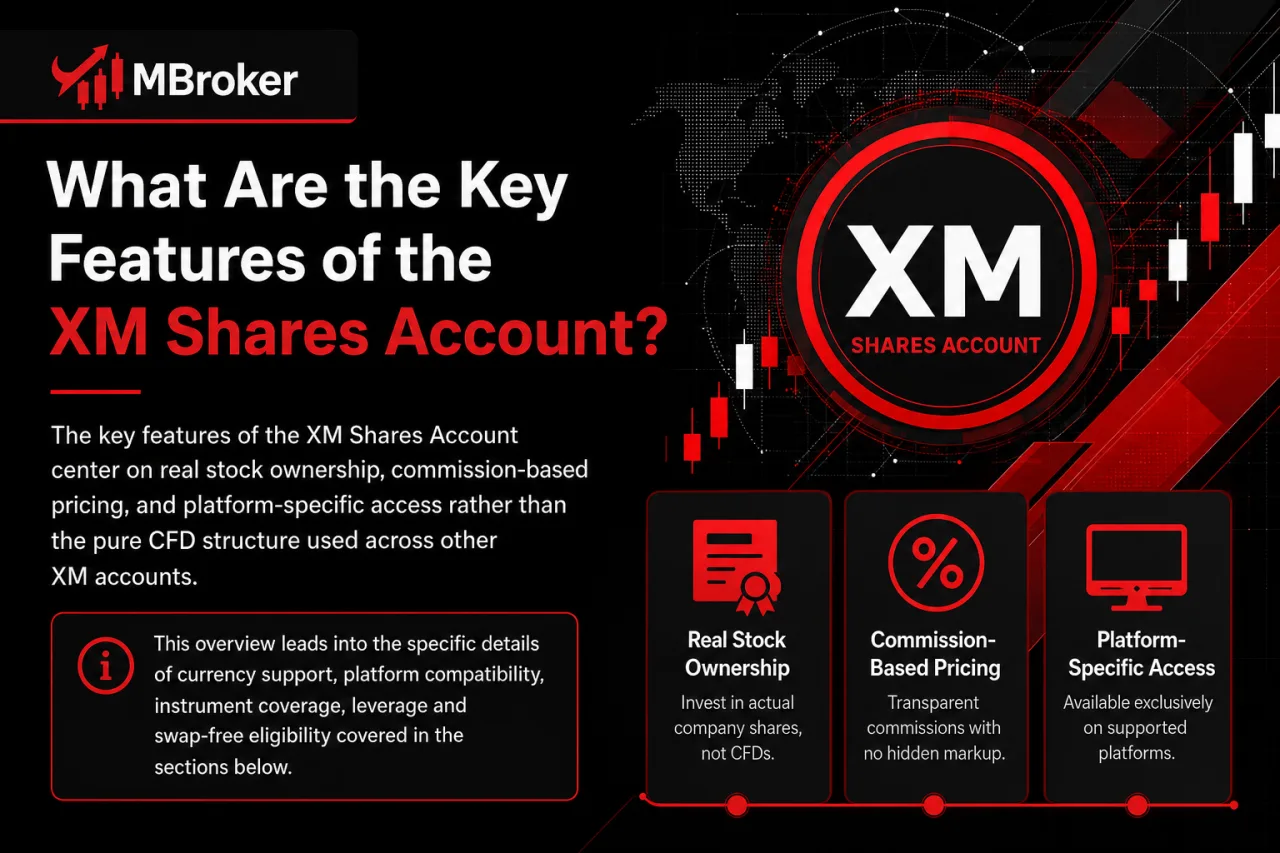
The key features of the XM Shares Account center on real stock ownership, commission-based pricing, and platform-specific access rather than the pure CFD structure used across other XM accounts. This overview leads into the specific details of currency support, platform compatibility, instrument coverage, leverage and swap-free eligibility covered in the sections below.
Which Platforms and Base Currencies Are Supported?
The XM Shares Account runs on both MT4 and MT5, with base currency support limited to the specific currencies XM designates for this account type rather than the full list offered on Standard or Micro accounts. This addresses both platform compatibility and currency support directly.
Platform access follows the same login credentials used across other XM account types, meaning clients switch between MT4 and MT5 without opening a separate trading account for each platform. Base currency selection, however, applies only at account creation and cannot be changed afterward without opening a new account.
- Clients trade the Shares Account through MT4 for desktop, web and mobile access.
- Clients trade the Shares Account through MT5 for the same range of desktop, web and mobile access.
- Clients select a base currency from the options XM lists for this account type during registration, which typically includes major currencies such as USD, EUR and GBP among others depending on the entity and region.
The exact list of base currencies officially supported for the XM Shares Account is confirmed directly on XM’s official account types page, since currency availability varies by legal entity and client residency.
Reviewing the current account opening form remains the most reliable way to confirm which currencies apply before funding the account.
What Leverage and Margin Conditions Apply?
Leverage on the XM Shares Account follows a fixed, lower ratio set specifically for real stock trading, distinct from the higher leverage tiers available on CFD-based accounts like Standard or Ultra Low. This directly addresses the leverage and margin structure applied to this account type.
Margin requirements on share positions correlate directly with this fixed leverage, meaning clients hold more capital against each open position compared to leveraged CFD instruments. Since the account trades actual equity rather than a derivative contract, XM applies conditions closer to traditional stock market margin rules rather than the flexible leverage settings found on forex or metals trading.
- Leverage on the Shares Account stays capped at a fixed ratio set by XM rather than adjustable client-side.
- Margin requirements scale directly with position size and the applicable leverage ratio.
- Retail and professional client classification factors into which margin conditions apply once the account activates.
The exact leverage ratio and margin percentage applied to the Shares Account depend on the client’s legal entity and classification, so confirming the current figures directly through the official account types page or the client trading platform remains necessary before opening positions.
Reviewing the live account specifications sheet on the trading platform clarifies the applicable margin call and stop-out levels tied to this leverage structure.
Is a Demo or Islamic Swap-Free Version Available?
Both demo trading and Islamic swap-free status apply to the XM Shares Account, subject to specific conditions confirmed through XM’s official account terms. This directly addresses whether either option exists for this account type.
Confirming demo and Islamic swap-free availability for the Shares Account matters since not every XM account type carries identical terms for these two features.
- Clients test the Shares Account through a demo environment before committing real funds.
- Clients holding an Islamic swap-free status avoid overnight swap charges on eligible positions, subject to XM’s eligibility criteria for this designation.
- Clients confirm swap-free eligibility directly with XM, since this status typically applies based on religious grounds rather than automatic account-wide default.
The specific conditions attached to swap-free status on the Shares Account, including which instruments qualify and any administrative fees that replace standard swap charges, should be confirmed directly through XM’s official account types page or client support before assuming blanket eligibility, as this page notes that all accounts feature negative balance protection, hedging, and an Islamic (swap-free) option by default.
Reviewing the live account terms on the client portal remains the reliable way to verify current demo and swap-free conditions before opening a funded Shares Account.
How Does the XM Shares Account Compare to Standard, Micro and Ultra Low Accounts?
How Does the XM Shares Account Compare to Standard, Micro and Ultra Low Accounts
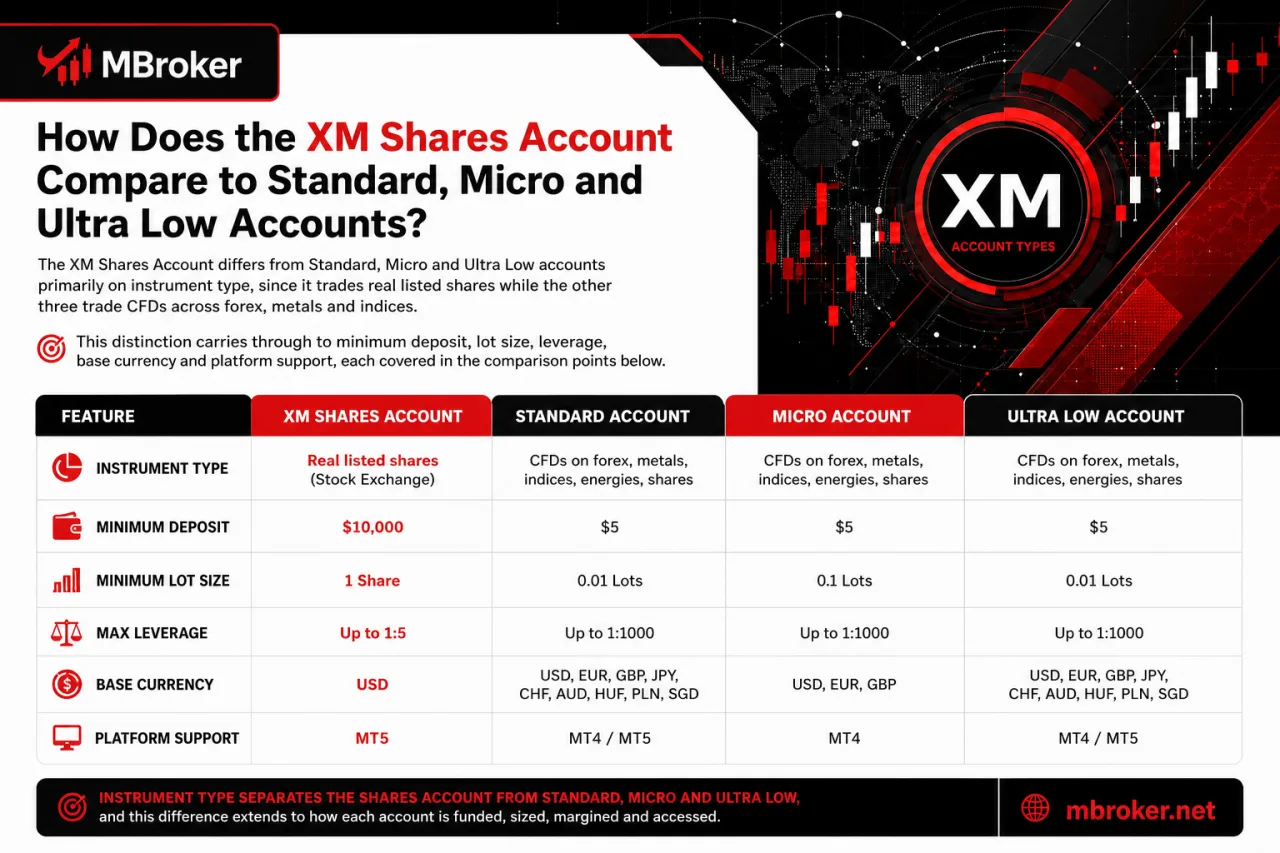
The XM Shares Account differs from Standard, Micro and Ultra Low accounts primarily on instrument type, since it trades real listed shares while the other three trade CFDs across forex, metals and indices. This distinction carries through to minimum deposit, lot size, leverage, base currency and platform support, each covered in the comparison points below.
Beyond instrument type, the four account types diverge on how positions are sized, funded and margined:
- Instrument type separates the Shares Account (real equities) from Standard, Micro and Ultra Low accounts (CFDs on forex, metals and indices).
- Minimum deposit requirements differ by account, with the Shares Account applying its own threshold distinct from the entry-level Micro or Ultra Low tiers.
- Lot and contract sizes on the Shares Account follow share-specific units rather than the standard forex lot conventions used on Standard, Micro and Ultra Low accounts.
- Leverage on the Shares Account stays fixed at a lower ratio reflecting equity margin rules, while Standard, Micro and Ultra Low accounts apply higher, CFD-style leverage tiers.
- Base currency options and platform access (MT4 and MT5) apply across all four account types, though the specific currency list available varies by account and legal entity.
The XM Shares Account functions as a structurally distinct product rather than a simple fee-tier variant of Standard, Micro or Ultra Low accounts, since its pricing model, margin rules and underlying instruments follow equity trading conventions rather than CFD conventions. Confirming the exact figures for deposit, lot size and leverage on each account remains best done directly through XM’s official account types page before comparing conditions.
What Are the Minimum Deposit Requirements for Each Account Type?
Minimum deposit requirements on the XM Shares Account follow a threshold separate from the Standard, Micro and Ultra Low accounts, with each account applying its own specific figure rather than a shared entry point. This comparison addresses exactly how the deposit floor differs across the four account types.
Minimum deposit requirements vary across XM’s trading accounts, and the exact figure applying to the Shares Account specifically, versus Standard, Micro or Ultra Low, depends on the account type selected and the client’s legal entity.
- Standard account applies its own published minimum deposit threshold, distinct from the other three account types.
- Micro account applies a separate minimum deposit threshold suited to smaller position sizing, differing from the Standard figure.
- Ultra Low account applies its own distinct minimum deposit threshold, set apart from Standard, Micro and Shares.
- Shares Account applies a minimum deposit threshold specific to real equity trading conditions, differing from the other three account types.
The exact deposit figures for each account type are not restated here, since these amounts vary by legal entity and update periodically on XM’s side. Confirming the precise deposit figure for each account, including the Shares Account against Standard, Micro and Ultra Low, remains best done directly through XM’s official account types page before funding any account.
What Are the Lot Size and Contract Size Differences?
Lot and contract sizes differ mainly because the Shares Account trades individual shares as units, while Standard, Micro and Ultra Low accounts trade standardized lots representing a fixed base currency amount. This comparison addresses how position sizing works differently across these account types.
On the Shares Account, one lot typically corresponds to a set number of shares of the underlying company rather than a standardized currency-denominated contract, aligning volume calculations closer to stock exchange conventions than forex lot standards.
- Standard account applies a standardized lot size tied to a fixed currency unit per contract.
- Micro account applies a fractional lot size suited to smaller position exposure.
- Ultra Low account applies its own reduced lot size distinct from Standard and Micro.
- Shares Account applies a share-based contract size rather than a currency-based lot.
The exact minimum and maximum trading volume rules applying to the Shares Account, including how many shares constitute one lot for each listed company, depend on the specific instrument and legal entity involved.
Confirming these figures directly through XM’s official account types page or the trading platform’s contract specifications remains necessary before sizing any share position.
What Are the Spreads, Commissions and Trading Fees on the XM Shares Account?
What Are the Spreads, Commissions and Trading Fees on the XM Shares Account
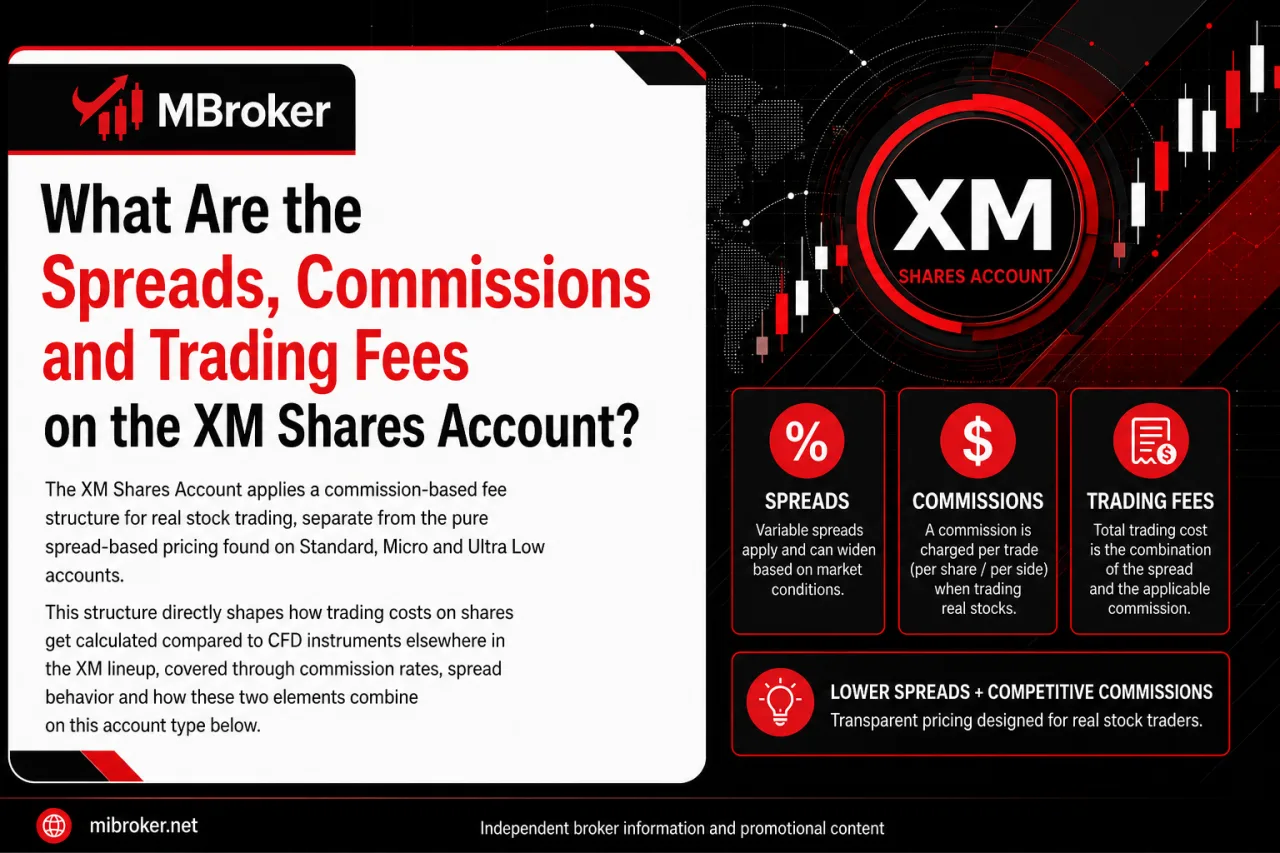
The XM Shares Account applies a commission-based fee structure for real stock trading, separate from the pure spread-based pricing found on Standard, Micro and Ultra Low accounts. This structure directly shapes how trading costs on shares get calculated compared to CFD instruments elsewhere in the XM lineup, covered through commission rates, spread behavior and how these two elements combine on this account type below.
Are There Non-Trading Fees Like Withdrawal or Inactivity Charges?
Non-trading fees apply to the XM Shares Account in the form of possible withdrawal charges, inactivity fees and custody-related conditions, following the same general fee schedule XM applies across its account types rather than a Shares-specific exception. Confirming exactly which of these charges apply matters given the account’s real-equity structure.
Several categories of non-trading costs commonly attach to brokerage accounts holding real shares:
- Withdrawal processing carries a fee for certain payment methods, with the exact amount depending on the method selected rather than a single flat rate across all options.
- Inactivity charges apply once an account remains dormant beyond a defined period set by XM, though the precise number of days and the fee amount are not fixed figures quoted here.
- Custody or holding fees potentially apply to real share positions given their ownership-style structure, distinct from CFD instruments.
The exact figures and trigger conditions for withdrawal fees, inactivity charges and any custody costs on the XM Shares Account are not listed here and should be confirmed directly through XM’s official fee schedule or account terms, since these amounts update periodically and vary by legal entity.
Reviewing the live fee schedule on the client portal before funding the account clarifies which of these charges currently apply and at what specific rates.
How to Open an XM Shares Account and Start Trading Real Stocks?
How to Open an XM Shares Account and Start Trading Real Stocks
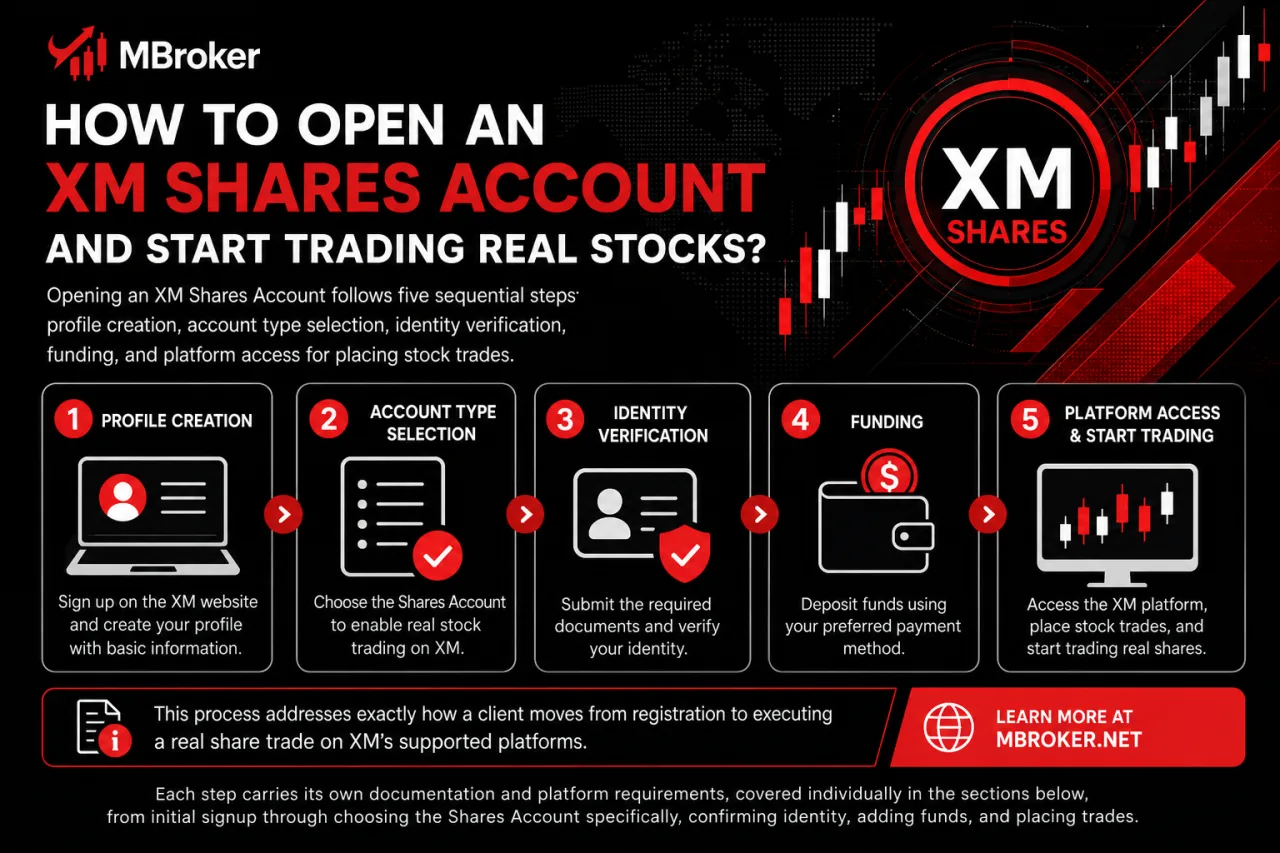
Opening an XM Shares Account follows five sequential steps: profile creation, account type selection, identity verification, funding, and platform access for placing stock trades. This process addresses exactly how a client moves from registration to executing a real share trade on XM’s supported platforms.
Each step carries its own documentation and platform requirements, covered individually in the sections below, from initial signup through choosing the Shares Account specifically, confirming identity, depositing funds, and finally launching MT4 or MT5 to trade.
What Documents and Verification Steps Are Required?
Verification for the XM Shares Account requires two core documents, a Proof of Identity and a Proof of Address, submitted and approved before real stock trading activates. This step directly answers what clients need to submit and complete before the account moves from registration to active trading status.
The verification process follows the same document standards XM applies across its account types, with a few steps sequenced specifically before share trading unlocks:
- Proof of Identity confirms the applicant through a valid government-issued document, such as a passport, national ID card or driving license.
- Proof of Address confirms the applicant’s residential details through a recent utility bill, bank statement or official government correspondence.
- Document submission occurs through the client portal, typically as a clear colour copy or scan.
- Internal review by XM’s compliance team confirms both documents before the account status changes to verified.
- Account activation follows successful verification, at which point the Shares Account becomes available for funding and trading.
The exact document formats accepted and the maximum validity period for a Proof of Address should be confirmed directly with XM, since these requirements update periodically.
Reviewing the current document checklist on the client portal before submission avoids delays in activating the Shares Account for real stock trades.
What Restrictions or Limitations Apply to the XM Shares Account?
Yes, restrictions apply to the XM Shares Account, covering a limited stock universe, dividend adjustment policy, corporate action treatment and entity-specific availability. These limitations shape how the account behaves compared to CFD-based accounts and matter before placing real stock positions.
The sections below cover the specific restricted share list, hedging and scalping conditions, dividend and corporate action handling, and geographic limitations tied to legal entity registration.
How Are Dividends and Corporate Actions Handled?
Dividend adjustments and corporate action treatment on the XM Shares Account follow the policy applying to real equity ownership, distinct from the cash adjustments used on CFD share instruments elsewhere in the XM lineup. This handling directly answers how payouts and structural changes to a listed company affect an open Shares Account position.
The account holds real stock rather than a synthetic contract, so several corporate events carry distinct treatment:
- Dividend payments credit to the client account according to the underlying company’s declared payout, subject to XM’s processing terms for real shares.
- Stock splits or reverse splits adjust the quantity and price of the held shares to reflect the new share structure issued by the company.
- Other corporate actions, such as mergers or rights issues, follow XM’s published treatment for real equity positions rather than the CFD adjustment method.
The exact dividend crediting timeline, tax treatment and corporate action procedures for the Shares Account should be confirmed directly through XM’s official account terms or client support, since these conditions vary by listed company and legal entity.
Who Is the XM Shares Account Not Suitable For?
The XM Shares Account does not suit traders seeking leverage-heavy CFD exposure, high-frequency scalpers, or clients registered under an entity without share trading support. This directly addresses which trader profiles fall outside the account’s intended use, following the restrictions on dividends and corporate actions already covered above.
Three objective criteria separate unsuitable profiles from a good fit:
- Leverage-focused traders seeking the higher CFD leverage tiers available on Standard or Ultra Low accounts find the fixed, lower equity-margin leverage on this account restrictive.
- Scalpers and high-frequency traders relying on rapid order execution and tight spreads across forex-style CFDs gain little advantage from a commission-based, equity-margin structure built around real share ownership.
- Clients registered under an XM legal entity that does not list the Shares Account among available options cannot access it regardless of trading style or intent.
Confirming entity-specific availability and current leverage terms directly through XM’s official account types page remains necessary before ruling an individual case in or out.
Conclusion
In conclusion, the XM Shares Account is designed for clients seeking exposure to real listed stocks rather than leveraged CFDs, with commission-based pricing and equity-specific trading conditions. It may suit longer-term stock investors but is less appropriate for high-leverage or high-frequency strategies. Before opening an account, traders should confirm current availability, fees, supported shares and entity-specific terms directly with XM.

Neria Solven is Mbroker’s XM Accounts, Fees and Promotions Editor, covering account types, trading costs, payment methods and promotional programmes. Email: [email protected]