
 Tiếng Việt
XM Account
An XM account is a trading account opened with one of XM’s regulated entities, giving access to forex, stocks, indices, commodities and other CFD instruments through MT4 or MT5. XM provides access to a wide range of tradable instruments, covering markets such as forex, stocks, indices, commodities, and cryptocurrencies. Each account type carries its own trading conditions, minimum deposit and eligibility requirements.
XM offers several account types, including Micro, Standard, XM Zero and Ultra Low accounts, each designed for different trading styles and capital levels. According to XM’s official account types page, all account types come with negative balance protection, hedging, and an Islamic account option by default. These accounts differ mainly in spread structure, commission charges and minimum lot size.
Account types compare mainly through spreads, commissions and minimum deposit thresholds, with commission-based accounts typically offering tighter spreads than spread-only accounts. Commission-based accounts such as XM Zero generally carry lower spreads but add a separate commission charged per lot traded, while spread-only accounts like Standard or Micro build the cost into a wider spread without a separate commission fee. Traders choosing between them weigh cost structure against trading volume and strategy.
Opening or adding an XM real account follows a step-by-step online registration process involving identity verification, address proof and account type selection through the XM Members Area. According to XM’s official Help Center, verifying an account typically requires logging in, confirming your phone number, and submitting proof of identity along with proof of residence documents. Existing clients can add further accounts under the same profile without repeating full verification.
Account access and management run through the XM Members Area login on web or the official mobile app, both supporting deposits, withdrawals and account monitoring. XM offers mobile trading apps for both Android and iOS devices, giving traders an intuitive interface and real-time charting on the go. Mbroker outlines these login and management steps to help readers navigate the process independently of XM’s own materials.
The sections below detail what an XM account is, the account types available and how their trading conditions compare, starting with a clear definition of the XM account structure.
What Is an XM Account?
What Is an XM Account
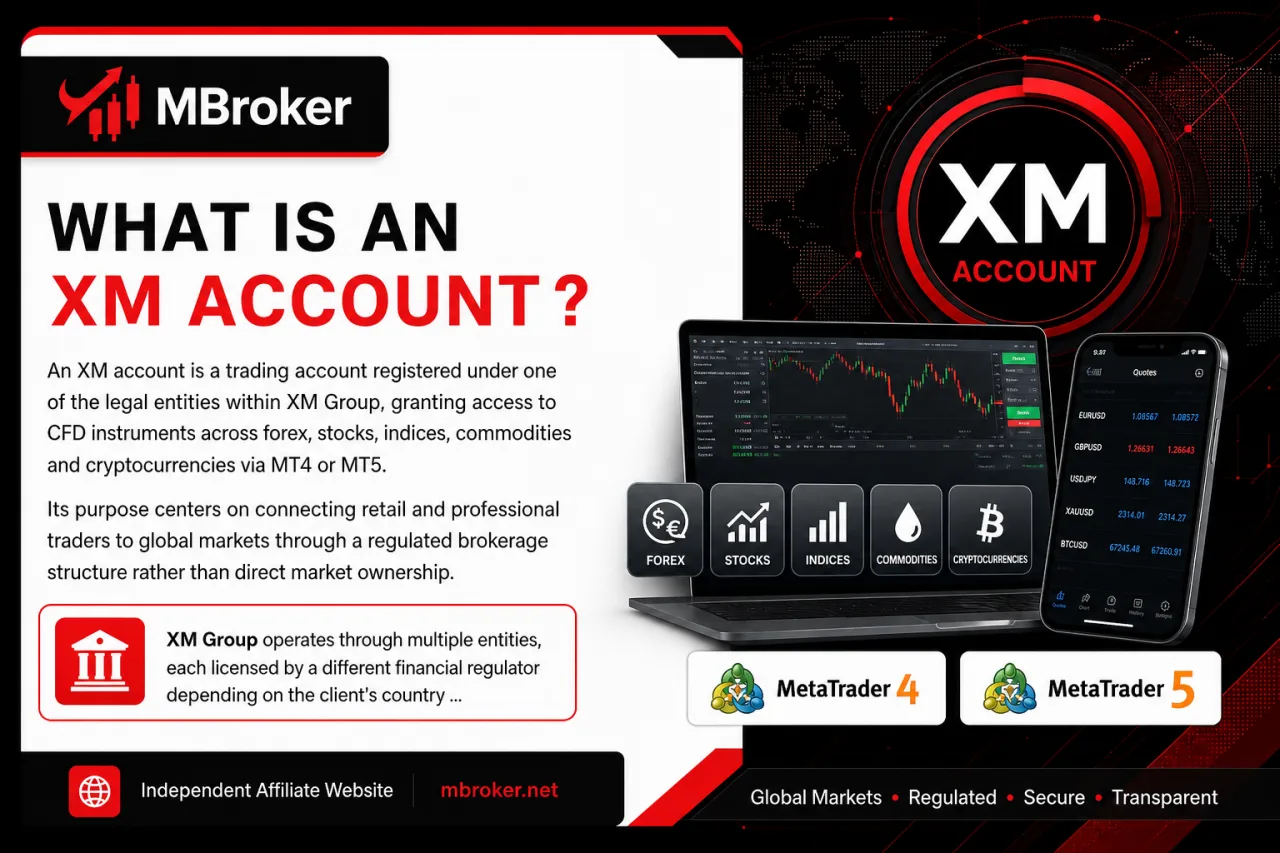
An XM account is a trading account registered under one of the legal entities within XM Group, granting access to CFD instruments across forex, stocks, indices, commodities and cryptocurrencies via MT4 or MT5. Its purpose centers on connecting retail and professional traders to global markets through a regulated brokerage structure rather than direct market ownership.
XM Group operates through multiple entities, each licensed by a different financial regulator depending on the client’s country of residence. XM Group’s legal entities include separate companies regulated in different jurisdictions—for example, XM Global Limited is licensed by the Financial Services Commission (FSC) of Belize, as confirmed on XM’s official about page—and each entity generally applies its own conditions regarding leverage, deposits and product availability based on its regulatory framework.
Because of this entity-based structure, an XM account opened under one regulator does not automatically carry the same conditions as an account opened under another. Trading conditions, available account types and client protections shift according to the entity, the account type selected and the client’s verification status. Traders reviewing XM account terms confirm which entity governs their account before assuming any specific rule applies universally.
What Types of XM Accounts Are Available?
What Types of XM Accounts Are Available
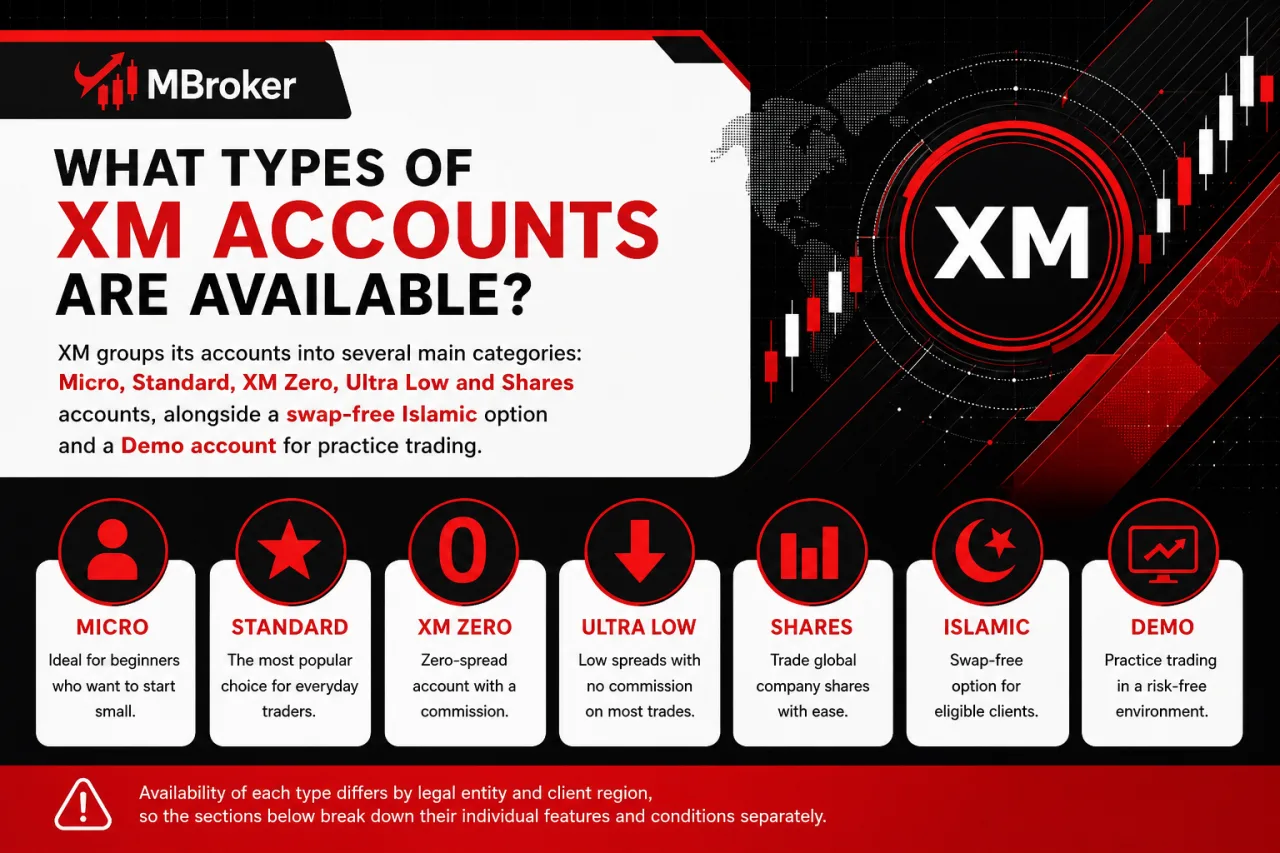
XM groups its accounts into several main categories: Micro, Standard, XM Zero, Ultra Low and Shares accounts, alongside a swap-free Islamic option and a Demo account for practice trading. Availability of each type differs by legal entity and client region, so the sections below break down their individual features and conditions separately.
What Features Does Each XM Account Type Offer?
Core features differ by account type across minimum deposit, base currency options, maximum leverage, trade size limits and instrument access, with exact figures depending on the client’s XM entity.
Comparing these features clarifies which account type fits a given trading style before opening an account.
- Minimum deposit: According to XM’s official account types page, the minimum deposit to open any XM account type, including Micro, Standard, XM Zero, and Ultra Low, is $5.
- Base currency: Base currency selection covers multiple options, with the available currencies varying depending on the entity and account type.
- Maximum leverage: Maximum leverage differs by entity and regulatory jurisdiction. According to XM’s official stable leverage page, some XM entities offer leverage up to 1000:1 with negative balance protection and real-time margin monitoring, while other entities apply considerably lower caps.
- Trade size limits: Minimum and maximum trade size also varies by account type, with Micro accounts generally handling smaller lot increments compared to Standard or Zero accounts.
- Instrument access: Instrument access remains largely consistent across account types, though certain products may carry account-specific restrictions depending on the entity.
Traders confirm exact figures directly through their XM Members Area or official account documentation before opening an account, since these terms are subject to change. This comparison reflects information reviewed as of the article’s publication date.
Who Is Eligible to Open Each XM Account Type?
Eligibility for each XM account type depends primarily on the client’s age, country of residence and completed identity verification, rather than on the account type itself. This eligibility question determines who qualifies to open a Micro, Standard, XM Zero or Ultra Low account under a given XM entity.
Three main conditions govern account access:
- Age requirement generally sets the minimum applicant age at 18 years across XM entities.
- Identity and residency verification requires submitting proof of identity and proof of address before an account moves from registration to active trading status.
- Regional restrictions limit certain account types, leverage tiers and even overall access depending on the client’s country of residence, since some jurisdictions fall outside the scope of specific XM entities.
Existing verified clients face fewer barriers when adding a second or third account, as XM allows this without repeating the full verification process for the same profile. Traders confirm which entity and account types apply to their country directly through the XM Members Area, since eligibility terms shift by regulator and remain subject to change. This overview reflects information reviewed as of the article’s publication date.
How Do XM Account Types Compare in Trading Conditions?
How Do XM Account Types Compare in Trading Conditions
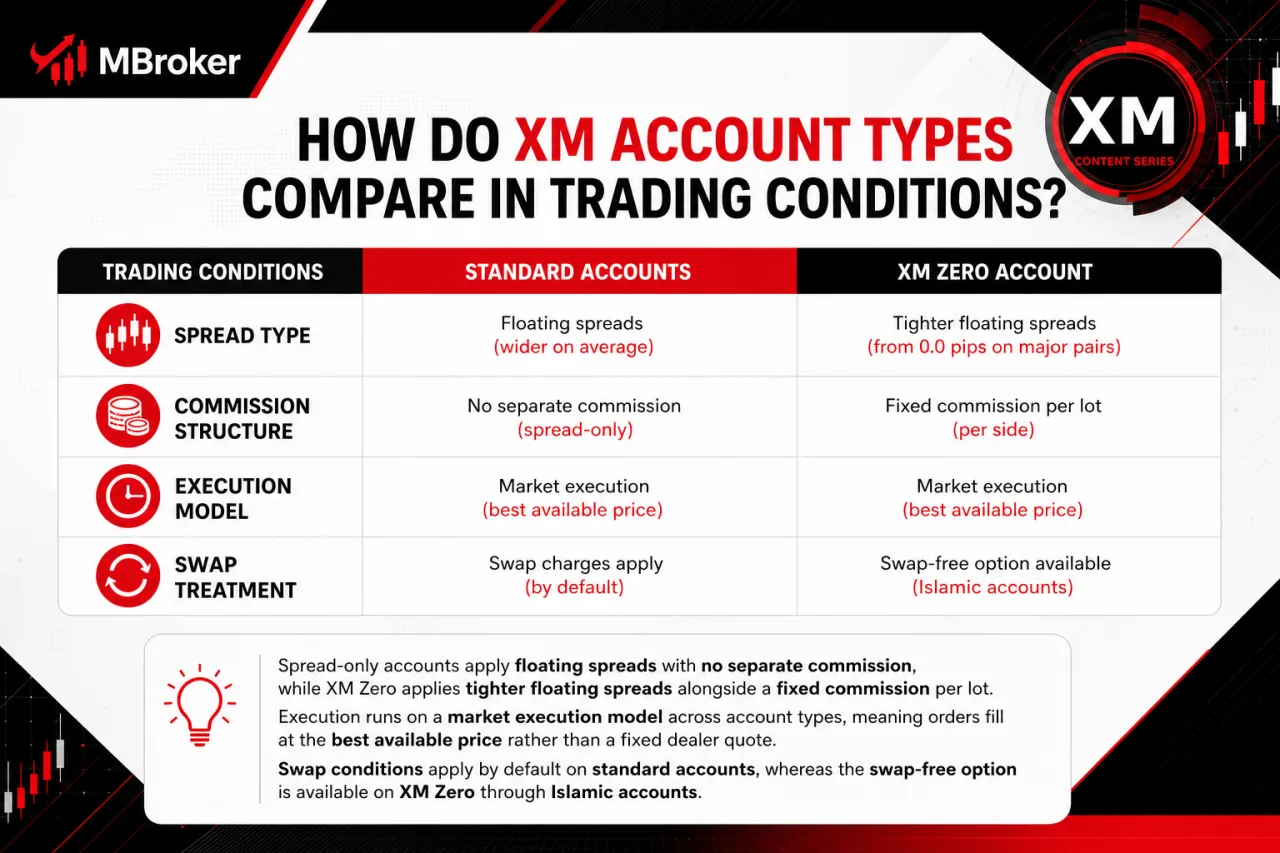
XM account types compare across four trading conditions: spread type, commission structure, execution model and swap treatment.
- Spread type: Spread-only accounts apply floating spreads with no separate commission, while XM Zero applies tighter floating spreads alongside a fixed commission per lot.
- Execution model: Execution runs on a market execution model across account types, meaning orders fill at the best available price rather than a fixed dealer quote.
- Swap treatment: Swap conditions apply by default on standard accounts, whereas the Islamic account option removes swap charges and replaces them with an administrative fee on positions held overnight, where applicable.
This comparison stays limited to account-level conditions relevant to choosing between Micro, Standard, XM Zero and Ultra Low accounts, since exact spread figures, commission rates and swap values fall under XM’s fees documentation rather than this account overview.
Traders weighing a commission-based account against a spread-only account typically consider trading frequency and volume, as commission structures often suit higher-volume strategies while spread-only pricing suits simpler, lower-frequency trading. Confirming current spread, commission and swap figures directly through the XM Members Area or official fee schedule remains the reliable step before opening a specific account type, since these figures change independently of the account structure itself.
How to Open an XM Real Trading Account?
How to Open an XM Real Trading Account
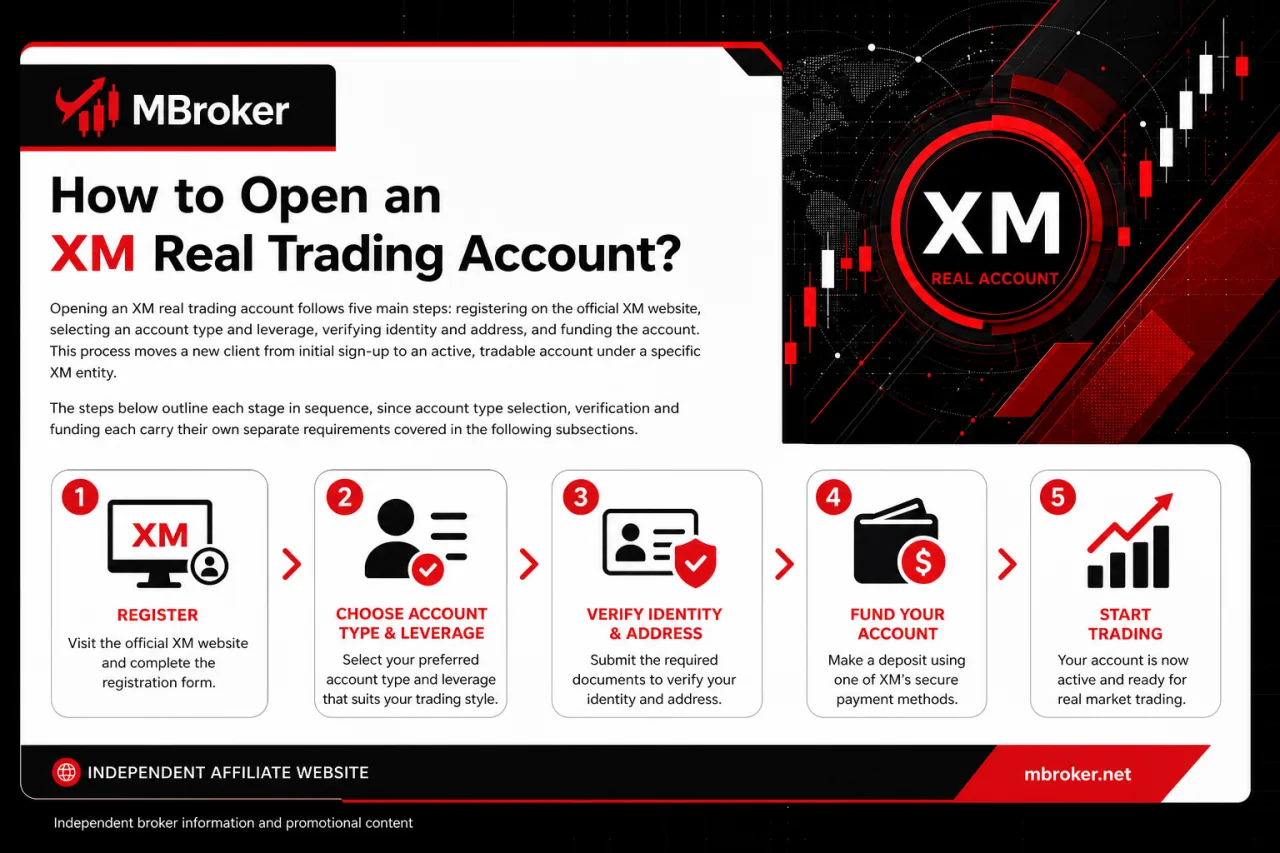
Opening an XM real trading account follows five main steps. This process moves a new client from initial sign-up to an active, tradable account under a specific XM entity. The steps below outline each stage in sequence, since account type selection, verification and funding each carry their own separate requirements covered in the following subsections.
- Register on the official XM website.
- Select an account type and leverage.
- Verify identity and address.
- Fund the account.
- Start trading on the live platform.
How to Add a New XM Account to an Existing Profile?
Adding a new XM account to an existing profile takes place directly inside the Members Area, where a verified client selects “Open New Account” without repeating identity or address verification. This process addresses how existing clients expand their trading setup with a different account type or base currency under the same profile.
The steps generally follow this order:
- Logging into the Members Area with existing credentials.
- Selecting the “Open Additional Account” option from the dashboard.
- Choosing the desired account type, such as Micro, Standard, XM Zero or Ultra Low.
- Setting the base currency and leverage for the new account.
- Confirming the request to activate the account instantly, since verification documents already carry over from the original profile.
This shortcut applies specifically to clients whose identity and address documents remain approved and current on their existing profile. Clients whose verification status lapses or whose details change typically face a request to resubmit documents before the new account activates. Confirming current requirements through the Members Area or official XM support remains the reliable step before adding an account, since procedures vary by entity. This overview reflects information reviewed as of the article’s publication date.
How to Log In and Manage an XM Account?
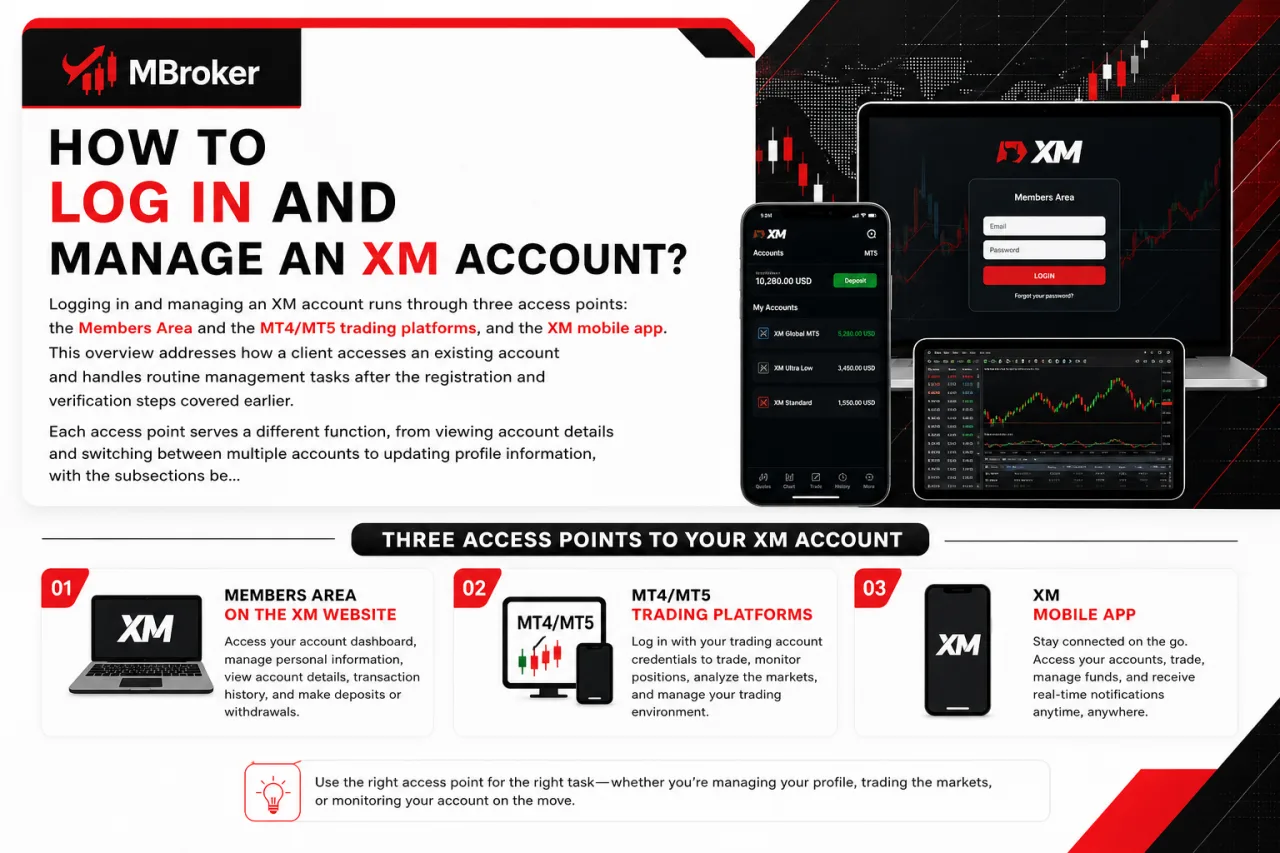
How to Log In and Manage an XM Account
Logging in and managing an XM account runs through three access points: the Members Area on the XM website, the MT4/MT5 trading platforms, and the XM mobile app. This overview addresses how a client accesses an existing account and handles routine management tasks after the registration and verification steps covered earlier. Each access point serves a different function, from viewing account details and switching between multiple accounts to updating profile information, with the subsections below detailing the login steps and management actions specific to each platform.
Can an XM Account Be Managed via the Mobile App?
Yes, an XM account supports management via the official XM mobile app, covering login, balance viewing, deposits and withdrawals directly from a smartphone. This confirms mobile access for the account tasks a client typically handles from a desktop Members Area.
Three reasons support this mobile capability:
- Login functionality mirrors the web Members Area, using the same account credentials.
- Balance and transaction history display in real time within the app dashboard.
- Deposit and withdrawal requests process through the same payment methods available on desktop, subject to each method’s own conditions.
The XM app runs on both Android and iOS devices, keeping general platform compatibility consistent across the two major mobile operating systems, without specifying a particular minimum OS version.
This mobile pathway works alongside MT4 or MT5 mobile apps, which handle trading itself. The XM app or mobile-optimized Members Area, on the other hand, handles account-level functions like funding and profile management. Confirming current app features and OS requirements directly through the official XM download page or app store listing remains the reliable step before relying on mobile-only account management. This overview reflects information reviewed as of the article’s publication date.
What Are Some Lesser-Known Features of XM Accounts?
XM accounts carry several lesser-known features beyond the standard account types, including negative balance protection, currency conversion handling, dormant account rules and internal transfers between a client’s own accounts. This section addresses how these background mechanics affect an existing XM account rather than which account type to open. The subsections below detail each feature separately, since protection rules, currency handling, inactivity treatment and internal transfers each follow distinct conditions.
Does XM Offer Negative Balance Protection on All Account Types?
Yes, XM applies negative balance protection across all account types by default, preventing a client’s account balance from falling below zero regardless of market volatility. This protection question addresses whether Micro, Standard, XM Zero and Ultra Low accounts share this safeguard equally or whether it varies by entity.
Three points clarify how this protection functions:
- Coverage extends uniformly to all listed account types rather than only premium or higher-deposit accounts.
- Application occurs automatically upon account opening, without requiring a separate request or opt-in step from the client.
- Enforcement depends on the specific XM entity governing the account, since regulatory requirements differ across jurisdictions.
Traders confirm the exact protection terms tied to their own entity through the XM Members Area or official policy documentation, since regulatory frameworks and entity-specific rules remain subject to change. This overview reflects information reviewed as of the article’s publication date.
Can Funds Be Transferred Between Multiple XM Accounts?
Yes, XM allows internal fund transfers between a client’s own real accounts, provided both accounts sit under the same XM entity and profile. This transfer capability answers whether a trader moves funds across Micro, Standard, XM Zero or Ultra Low accounts without processing a separate withdrawal and deposit.
Three conditions govern this feature:
- Ownership requires both accounts to belong to the same verified client profile, since XM does not permit transfers to third-party accounts.
- Entity matching restricts transfers to accounts registered under the same XM legal entity, meaning funds do not move directly across accounts held under different regulators.
- Currency conversion applies automatically when the sending and receiving accounts use different base currencies, subject to the prevailing conversion rate at the time of transfer.
Traders initiate these transfers directly through the Members Area dashboard, without needing a separate withdrawal request. Confirming current transfer rules and any applicable restrictions remains reliable through the Members Area or official XM support, since procedures vary by entity. This overview reflects information reviewed as of the article’s publication date.
Choosing the right XM account depends on your trading volume, preferred cost structure and position size. Micro accounts are generally suitable for traders who want to trade smaller lot sizes, while Standard accounts offer straightforward spread-based pricing. XM Zero may appeal to more active traders who prefer tighter spreads and are comfortable paying a separate commission.
Regardless of the account selected, traders can open, verify and manage multiple accounts through the XM Members Area, MT4, MT5 or the official mobile app. Features such as negative balance protection and internal fund transfers add flexibility, but account availability, leverage, fees and protection terms may vary by country and regulated XM entity. Therefore, traders should confirm the latest conditions in their Members Area and choose an account that matches their strategy, capital and risk tolerance before depositing funds.
XM Zero Account Explained: Spreads, Fees vs Standard
Curious about the XM Zero Account? See its spreads, commissions and fees, and how it...
XM Standard vs Ultra Low Account: Which Suits Traders?
Confused about XM Standard vs Ultra Low? Compare spreads, commissions, deposits and lot sizes to...
XM Demo Account: How to Open & Use It for Free
Discover how the XM demo account works, its free virtual funds, features, and easy steps...
XM Micro Account Explained: Features vs Standard Account
Curious about the XM Micro Account? See its min deposit, lot size, leverage and spreads,...
XM Shares Account: Features, Fees & Minimum Deposit
Curious about the XM share account? Explore its minimum deposit, fees, lot size and how...
XM Islamic Account: Swap-Free Trading Guide for Muslims
Curious about the xm islamic account? See eligibility, swap-free terms, supported platforms and how it...
XM Ultra Low Account: Features, Spreads & Who It Suits
See how the XM Ultra Low Account works: spreads, commissions, $5 minimum deposit, and if...
XM Standard Account: Features, Spreads & Min Deposit
Tìm hiểu XM Standard Account: mức deposit tối thiểu, spread, commission và điều kiện giao...
XM Standard vs Micro Account: Key Differences Explained
Comparing XM Standard vs Micro account? See lot size, deposits, spreads and suitability to pick...