

An XM demo account allows traders to practice forex and CFD trading with virtual funds under real market conditions, without risking real money. It replicates live spreads, execution speed and instrument pricing on MT4 and MT5 platforms.
Opening an XM demo account requires selecting the account type and platform on the XM website, then completing a short registration form with basic personal details. According to XM’s official registration page, opening an account starts with filling in a personal profile (email address and password), after which users can proceed to set up a demo account by choosing the platform (MT4 or MT5) and account details. No identity verification or minimum deposit applies at this stage.
The XM demo account mirrors the Micro, Standard and Ultra Low account types, each carrying a preset virtual balance and a limited validity period before expiration. XM demo accounts provide traders with virtual funds to practice trading under conditions similar to a real account, though the exact default balance and validity period can vary depending on the account type chosen during setup. These conditions allow traders to test strategies matching the trading environment of a specific live account type.
Switching from a demo to a live XM account involves completing identity verification, funding the account and selecting the same account type used during demo practice. According to XM’s trading walkthroughs guide, switching to a real account involves logging in, verifying the account by clicking “Verify your account,” and submitting the required documents (proof of identity and proof of residence). This transition lets traders apply tested strategies under real trading conditions.
The sections below from Mbroker detail exactly what an XM demo account is, how to open one step by step, and what features, balance and validity apply to each account type.
What Is an XM Demo Account?
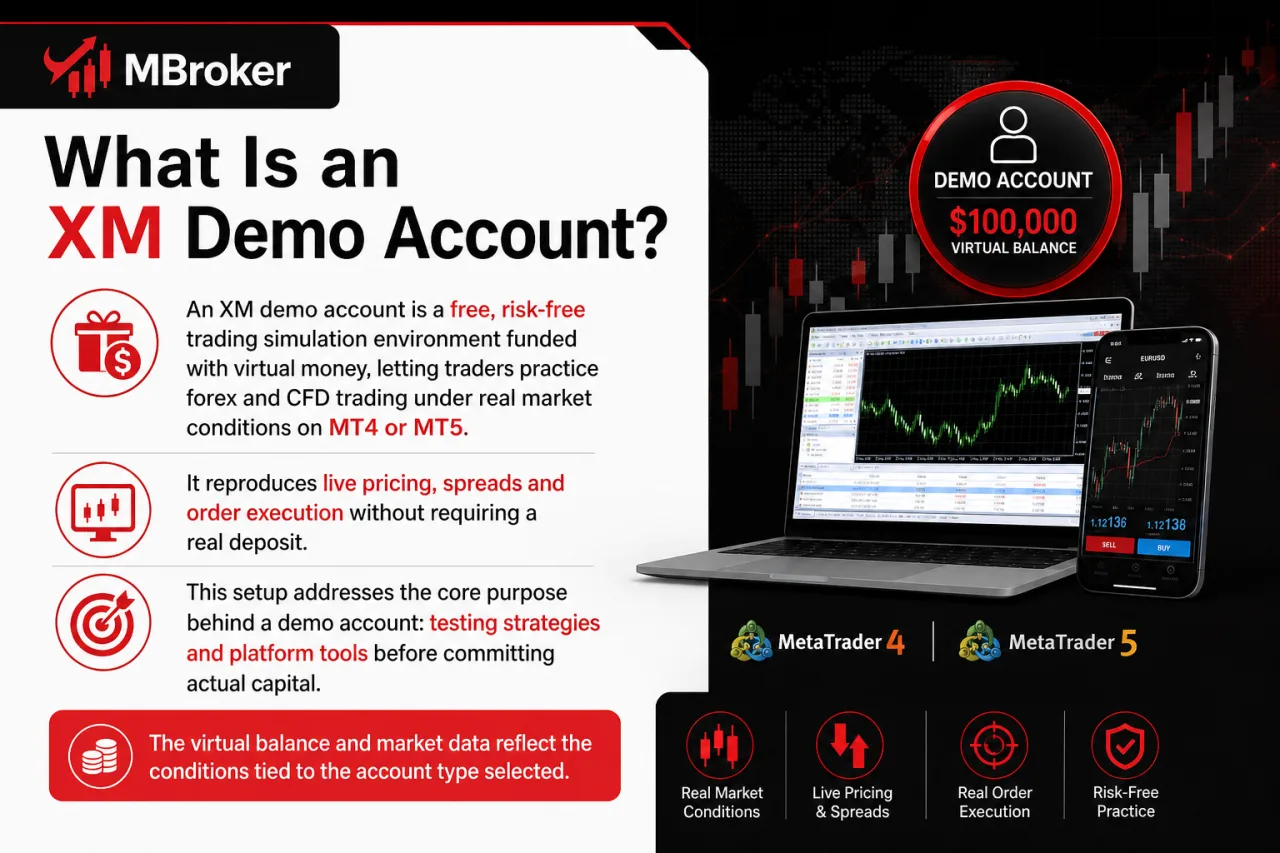
An XM demo account is a free, risk-free trading simulation environment funded with virtual money, letting traders practice forex and CFD trading under real market conditions on MT4 or MT5. It reproduces live pricing, spreads and order execution without requiring a real deposit.
This setup addresses the core purpose behind a demo account: testing strategies and platform tools before committing actual capital. The virtual balance and market data reflect the conditions tied to the account type selected during setup, covered in detail below. Traders use the demo environment to familiarize themselves with MT4 or MT5 navigation, order types and charting tools ahead of live trading. The following sections break down the specific balance, validity period and account-type distinctions that apply to XM demo accounts.
Is an XM Demo Account Free to Use?
Yes, an XM demo account is completely free to use, requiring no deposit and no cost at any stage of registration or trading practice. This confirms the core requirement for anyone checking whether virtual trading with XM carries any hidden charges.
Several factors support this free-access status:
- Registration only asks for basic personal details such as name, email address and password, with no payment information requested.
- No minimum deposit or funding step applies, since the balance is virtual and preset by the account type chosen.
- No identity verification or document upload is required, unlike the process needed to activate a live account.
- No subscription fee, renewal charge or platform license fee applies while using MT4 or MT5 in demo mode.
The absence of cost extends to the trading platform itself, since MT4 and MT5 download and installation carry no charge for demo users. Traders access full charting tools, order types and market simulation without any financial commitment, making the demo account a no-cost entry point before transitioning to a funded live account.
What Are the Available XM Demo Account Types (Micro, Standard, Ultra Low)?
The XM demo account offers three account type variants: Micro, Standard and Ultra Low, each simulating the contract size and lot value of its corresponding live account. This grouping lets traders test strategies under the exact trading conditions tied to the account type they intend to use once live.
The variants differ mainly in simulated lot value and position sizing:
- Micro accounts simulate smaller contract sizes, suiting traders practicing with tighter position control.
- Standard accounts simulate standard contract sizes, matching typical retail trading volumes.
- Ultra Low accounts simulate reduced lot values, suiting traders testing strategies with minimal exposure per position.
Selecting the demo variant matching the intended live account type keeps practice results consistent with real trading behavior after switching to a funded account, since spread, execution and lot value simulation carry over from the demo environment.
To better understand how contract sizes and trading volumes differ, see our XM Standard vs Micro Account comparison, which explains lot sizes, spreads, and account suitability.
How to Open an XM Demo Account (Step-by-Step)?
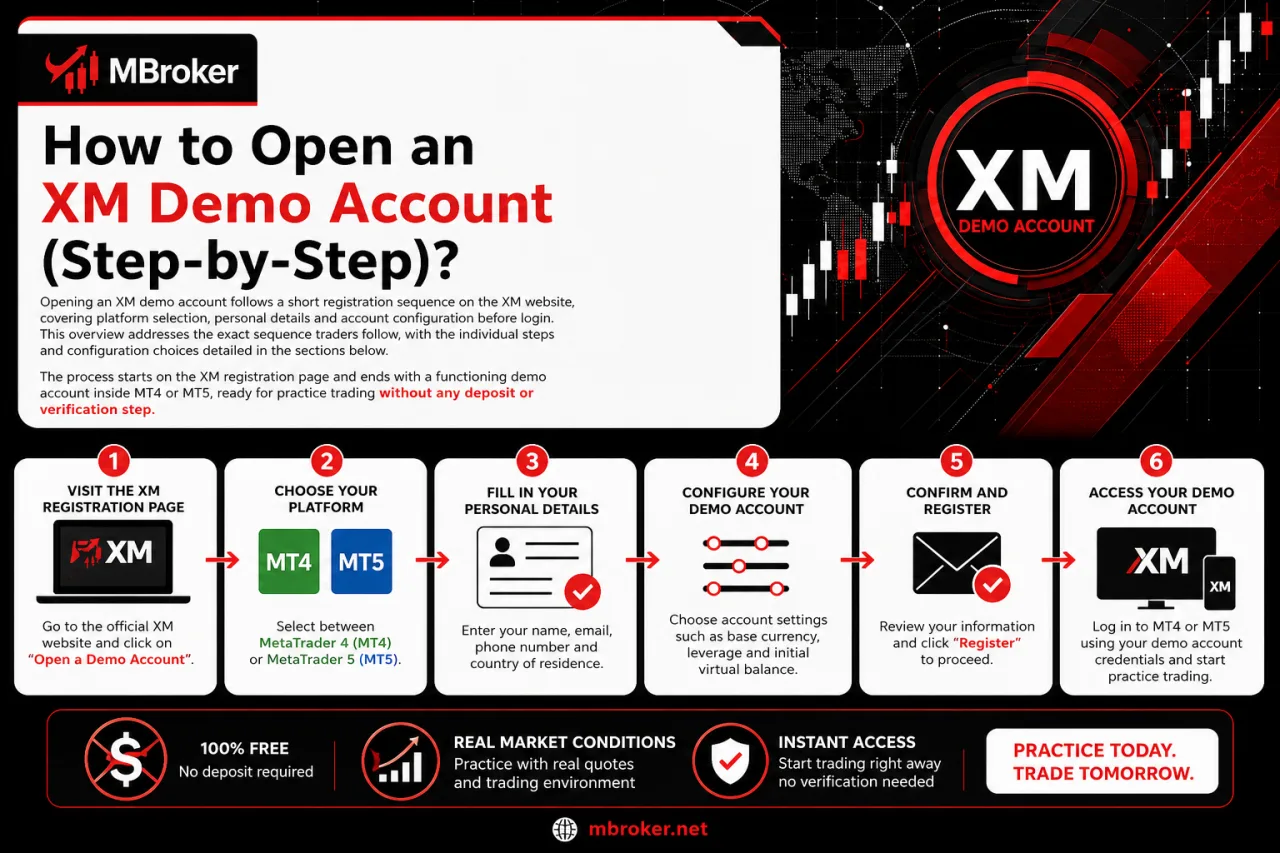
Opening an XM demo account follows a short registration sequence on the XM website, covering platform selection, personal details and account configuration before login. This overview addresses the exact sequence traders follow, with the individual steps and configuration choices detailed in the sections below. The process starts on the XM registration page and ends with a functioning demo account inside MT4 or MT5, ready for practice trading without any deposit or verification step.
What Information Is Required to Register for a Demo Account?
Registering an XM demo account requires basic personal and configuration details: name, email address, country of residence, phone number, chosen platform, account type, leverage and base currency. This directly answers what fields the registration form asks for when setting up a demo account.
The registration form collects information that shapes the trading environment rather than confirming a real identity:
- Name and email address identify the account and enable login credentials.
- Country of residence and phone number establish contact details and applicable legal entity.
- Chosen platform (MT4 or MT5) determines the trading terminal linked to the demo.
- Account type (Micro, Standard or Ultra Low) sets the simulated lot value and contract size.
- Leverage and base currency define the margin ratio and currency denomination of the virtual balance.
Unlike a live XM account, no proof of identity or proof of residence uploads apply at the demo registration stage. This keeps the process limited to basic profile data, letting traders access a functioning demo account without any document verification step.
Which Platforms (MT4 or MT5) Can Be Used With a Demo Account?
Both MT4 and MT5 support the XM demo account, with the platform choice fixed during registration and not switchable afterward without creating a new demo login. This directly settles which trading terminal works with a demo account setup.
The two platforms differ mainly in tools and instrument coverage rather than demo access itself:
- MT4 suits traders prioritizing a lighter interface and Expert Advisor compatibility for automated strategy testing.
- MT5 suits traders needing an expanded set of technical indicators, timeframes and order types alongside the demo simulation.
Device compatibility stays consistent across both platforms, since traders access their XM demo account through desktop applications, the web-based platform or mobile apps on iOS and Android. This flexibility lets traders practice strategies on the same demo login across multiple devices, matching whichever platform (MT4 or MT5) was chosen at registration.
What Features, Balance and Validity Does an XM Demo Account Have?
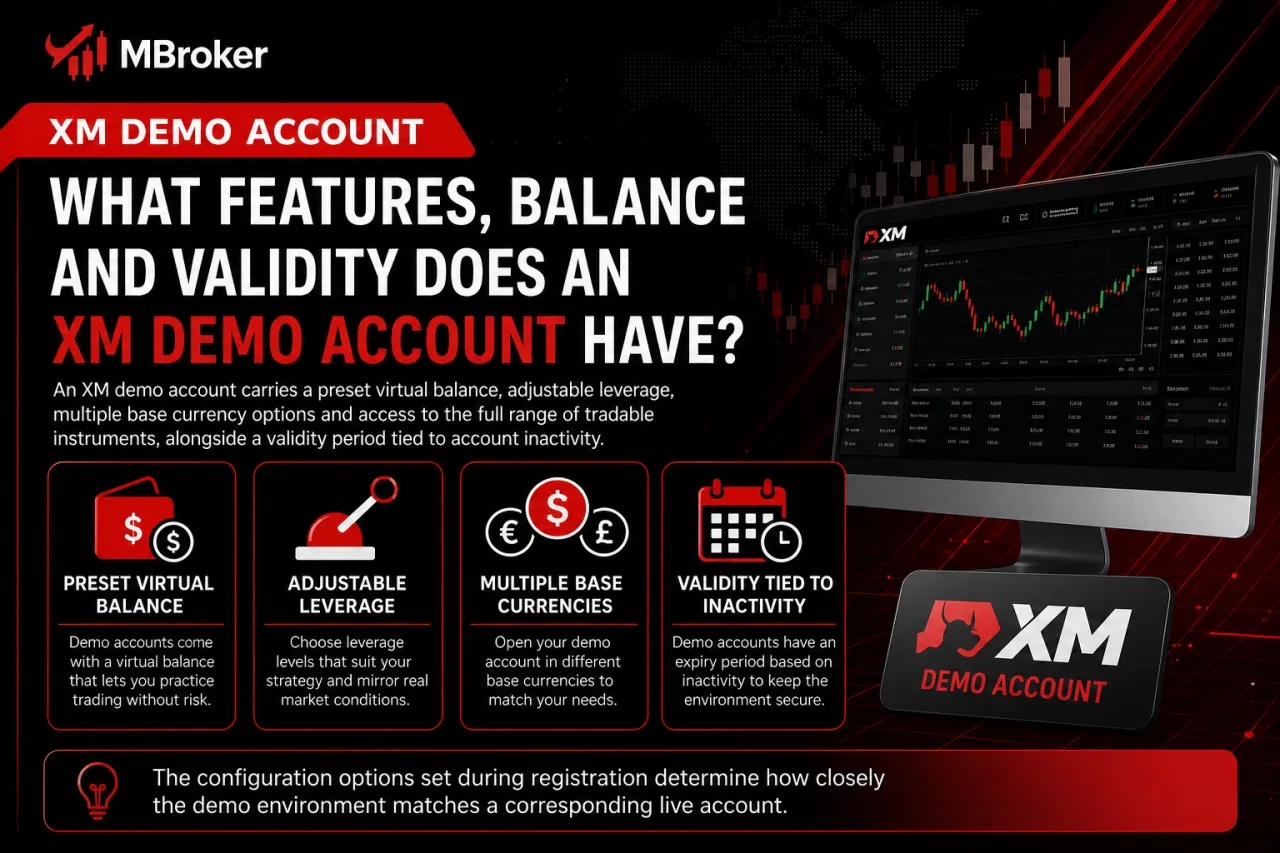
An XM demo account carries a preset virtual balance, adjustable leverage, multiple base currency options and access to the full range of tradable instruments, alongside a validity period tied to account inactivity. This overview covers what shapes the demo trading experience, with balance figures, leverage limits, instrument coverage and expiry rules detailed in the sections below.
The configuration options set during registration determine how closely the demo environment matches a corresponding live account, from the starting virtual funds down to the assets available for practice trading. Validity rules apply separately from these features, governing how long an inactive demo login stays accessible before requiring reactivation. Together, these elements define the boundaries of what a trader can test before switching to a real XM account.
How Much Virtual Balance Does an XM Demo Account Provide?
XM does not publish a single fixed default virtual balance across all demo accounts, since the exact figure depends on the account type selected and the trader’s own choice during registration. This directly addresses how much practice capital a demo login starts with.
The virtual balance functions as a starting point rather than a fixed lifetime limit, since traders configure this figure at setup and adjust it through account settings afterward. Key points regarding the virtual balance include:
- Selecting the virtual balance amount happens during the demo registration form, alongside platform and leverage choices.
- Topping up the balance stays possible by creating a new demo account or adjusting settings within the existing demo profile, without any deposit requirement.
- Resetting the balance to its original starting figure applies when a demo account expires from inactivity and requires reactivation.
Traders confirm the exact default balance figure offered for their chosen account type directly on the XM demo registration form, since XM does not list one universal amount that applies across all entities and account configurations.
How Long Is an XM Demo Account Valid Before It Expires?
An XM demo account stays valid until a set period of inactivity passes, after which the platform deactivates the login and blocks further access to the virtual balance. This addresses how long the trading simulation remains usable once a trader stops logging in.
Expiry ties directly to inactivity rather than a fixed calendar date from registration. The mechanism works as follows:
- Inactivity triggers deactivation once the demo login goes unused for a period of time without any trading or platform access. XM does not publicly confirm the exact number of inactivity days before deactivation, though demo accounts left unused for a period generally get closed automatically.
- Deactivation locks the existing demo login, removing access to its virtual balance and trading history.
- Reactivating an expired demo account requires contacting XM support or registering a fresh demo login through the same registration process covered earlier.
- Requesting a new demo account resets the virtual balance to the starting figure tied to the chosen account type and platform.
Traders planning to pause practice trading for an extended stretch log in periodically to keep the same demo account active, avoiding the need to reconfigure platform, leverage and base currency settings from scratch.
Do Micro, Standard and Ultra Low Demo Accounts Differ in Trading Conditions?
Yes, Micro, Standard and Ultra Low demo accounts differ in trading conditions, since each simulates a distinct contract size, lot value and volume range tied to its live equivalent. This distinction addresses whether the three demo variants share identical trading mechanics or replicate separate account structures.
Contract size sets the main divide between the three variants:
- Micro accounts simulate a smaller contract size per lot, allowing smaller position increments during demo trading.
- Ultra Low accounts simulate an even more reduced contract size, offering the smallest position increments among the three variants.
- Standard accounts simulate the full-size contract used in typical retail trading, with wider minimum and maximum volume limits than the other two variants.
Spread and commission structure mirrors the corresponding live account type during demo simulation. A Standard demo reflects Standard-account pricing, while a Micro or Ultra Low demo reflects the pricing tied to those respective account types.
Matching the demo variant to the intended live account type keeps lot sizing, volume limits and cost simulation consistent once a trader transitions to a funded account.
Traders planning to switch to a live account can explore our XM Standard vs Ultra Low Account comparison for a closer look at spreads, trading costs, lot sizes, and account conditions.
How to Switch From an XM Demo Account to a Live Trading Account?
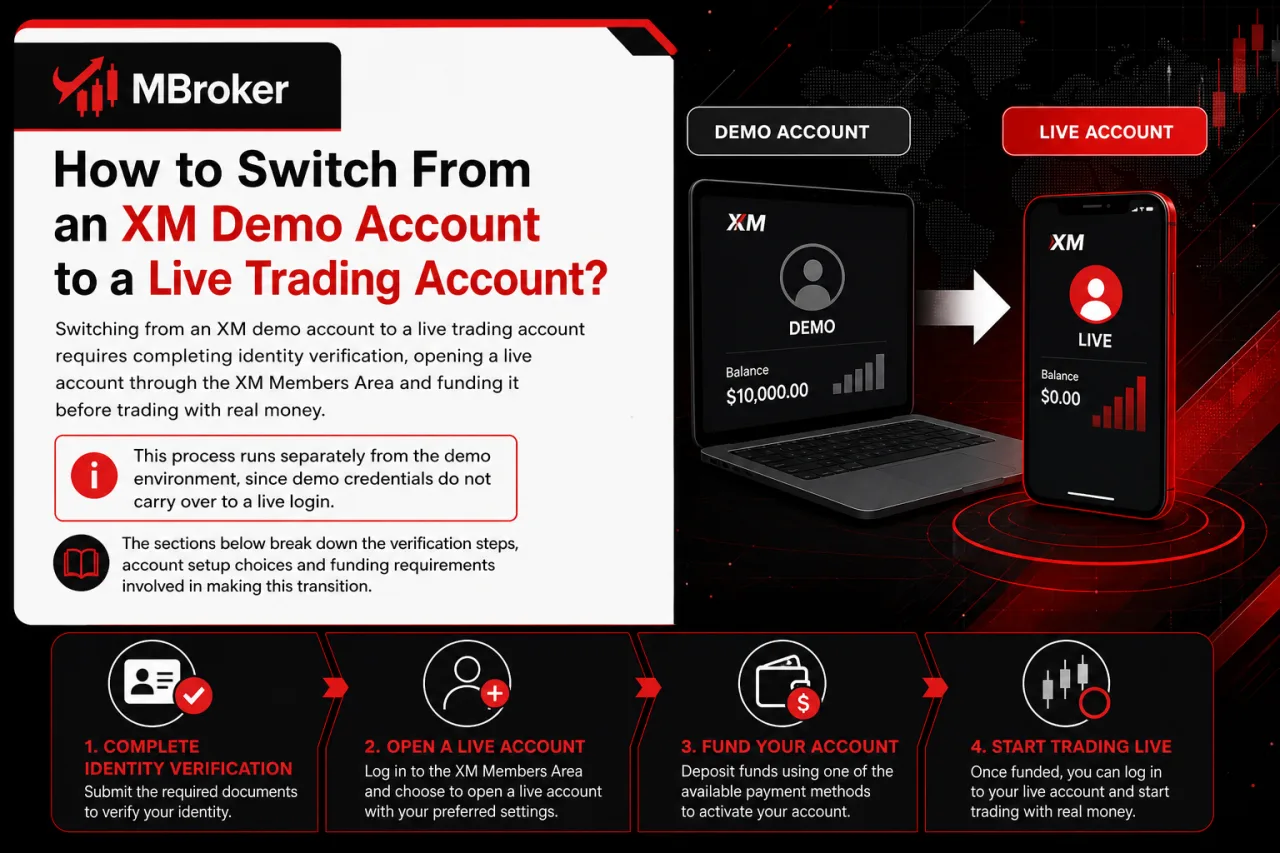
Switching from an XM demo account to a live trading account requires completing identity verification, opening a live account through the XM Members Area and funding it before trading with real money. This process runs separately from the demo environment, since demo credentials do not carry over to a live login. The sections below break down the verification steps, account setup choices and funding requirements involved in making this transition.
What Is the Minimum Deposit Required to Open a Live XM Account After Using the Demo?
Minimum deposit for a live XM account varies by account type and legal entity, ranging from low thresholds for Micro and Standard accounts up to $10,000 for Ultra Low. According to XM’s official account types page, this figure depends on the specific account variant and regulated entity tied to the trader’s country of residence. This addresses the funding threshold traders face once they move past the virtual balance used during demo testing.
Several factors shape which minimum deposit applies to a given trader:
- Account type selected during live registration determines the base threshold, matching the same variant tested in the demo.
- Legal entity tied to the trader’s country of residence sets a distinct minimum deposit, since XM operates under multiple regulated entities.
- Base currency chosen for the live account affects the converted deposit figure required to meet the threshold.
- Funding method used influences processing but does not change the underlying minimum amount required.
Traders confirm the applicable figure through the XM Members Area during live account setup, since the exact threshold displayed reflects their specific country and account type combination rather than a single universal amount across all XM entities.
Can Demo Account Settings Be Transferred to a Live Account?
No, demo account settings do not transfer to a live account, since XM treats the two as separate systems requiring a fresh setup for real trading. This addresses whether a trader carries over any configuration after finishing demo practice.
Several elements stay confined to the demo environment:
- Virtual balance resets to zero relevance once a live account opens, since real funds require an actual deposit.
- Trade history logged during demo sessions stays tied to the demo login and does not appear inside the live account dashboard.
- Leverage, base currency and account type selections made during demo registration require re-selection when configuring the live account.
- Login credentials differ entirely, since the live account operates under a separate account number issued after verification.
Traders reconfigure platform, leverage and currency preferences from scratch when moving to a live account, matching the earlier verification and funding steps covered in the section above. Demo practice still applies indirectly, since a trader retains familiarity with the chosen account type’s contract size and pricing behavior, informing the same choices when setting up the live version.
Are There Special XM Demo Account Options for Islamic (Swap-Free) or Professional Trading Practice?
Yes, XM demo accounts support swap-free (Islamic) simulation and reflect distinct conditions for professional client classification, though availability depends on the trader’s country and legal entity. This overview addresses whether the demo environment extends beyond standard practice trading into these two specialized configurations, with the swap-free simulation details and professional-classification distinctions covered in the sections below.
Does XM Offer a Swap-Free Demo Simulation?
Yes, XM offers swap-free demo simulation, letting traders test Islamic account conditions before applying for the live version. This confirms whether the interest-free trading mechanism carries into the practice environment or stays confined to funded accounts.
Swap-free simulation requires manual configuration rather than automatic activation during standard demo registration. Key points include:
- Selecting the swap-free option happens through account settings or by contacting XM support after the demo login exists.
- Simulating no overnight swap charges reflects the same fee waiver applied to a live Islamic account.
- Confirming eligibility for a live swap-free account still requires verification tied to country of residence and religious declaration once transitioning from demo to real trading.
Testing this configuration in demo mode previews how positions held overnight behave without swap fees, matching the live Islamic account structure once verified.
For more information about swap-free eligibility, overnight trading costs, and account restrictions, see our XM Islamic Account guide.
Do Demo Account Conditions Differ by XM Legal Entity or Country?
Yes, demo account conditions differ by XM legal entity or country, since leverage caps, available instruments and offered account types follow the regulatory framework tied to the entity handling a trader’s registration. This variation directly affects what a demo login simulates during practice trading.
Regulatory restrictions drive most of these differences rather than platform limitations. Key variations include:
- Leverage caps applied to a demo account reflect the maximum ratio permitted under the trader’s registering entity, with regulated European entities generally capping leverage lower than offshore entities.
- Available instruments shown inside a demo account mirror the product range approved for that entity, so certain CFDs or asset classes visible under one entity stay absent under another.
- Account type availability shifts by entity, since Micro, Standard or Ultra Low variants may not open uniformly across every country XM serves.
Traders confirm their applicable entity and its specific conditions through the registration form, since country of residence determines which regulatory framework governs the demo simulation.
Conclusion: Is the XM Demo Account Worth Using?
The XM demo account provides a practical, risk-free way to explore MT4 or MT5, learn how orders work and test account settings with virtual funds. Choosing the same platform, account type and trading conditions intended for a future live account can make the practice experience more relevant.
However, demo performance does not guarantee comparable results with real money, as live trading involves financial risk, market execution differences and emotional pressure. Before opening a live account, verify the account types, minimum deposit, leverage limits and instrument availability applicable to your country and XM legal entity.
Readers can learn more about our independent research approach, editorial standards, and XM account guides on the About Mbroker page.

Neria Solven is the XM Accounts, Fees and Promotions Editor at Mbroker, specializing in XM trading accounts, brokerage fees, trading costs, and promotional programs. She focuses on analyzing account conditions, spreads, commissions, and bonus eligibility to provide clear, accurate, and practical information for Forex and CFD traders.