
 Tiếng Việt
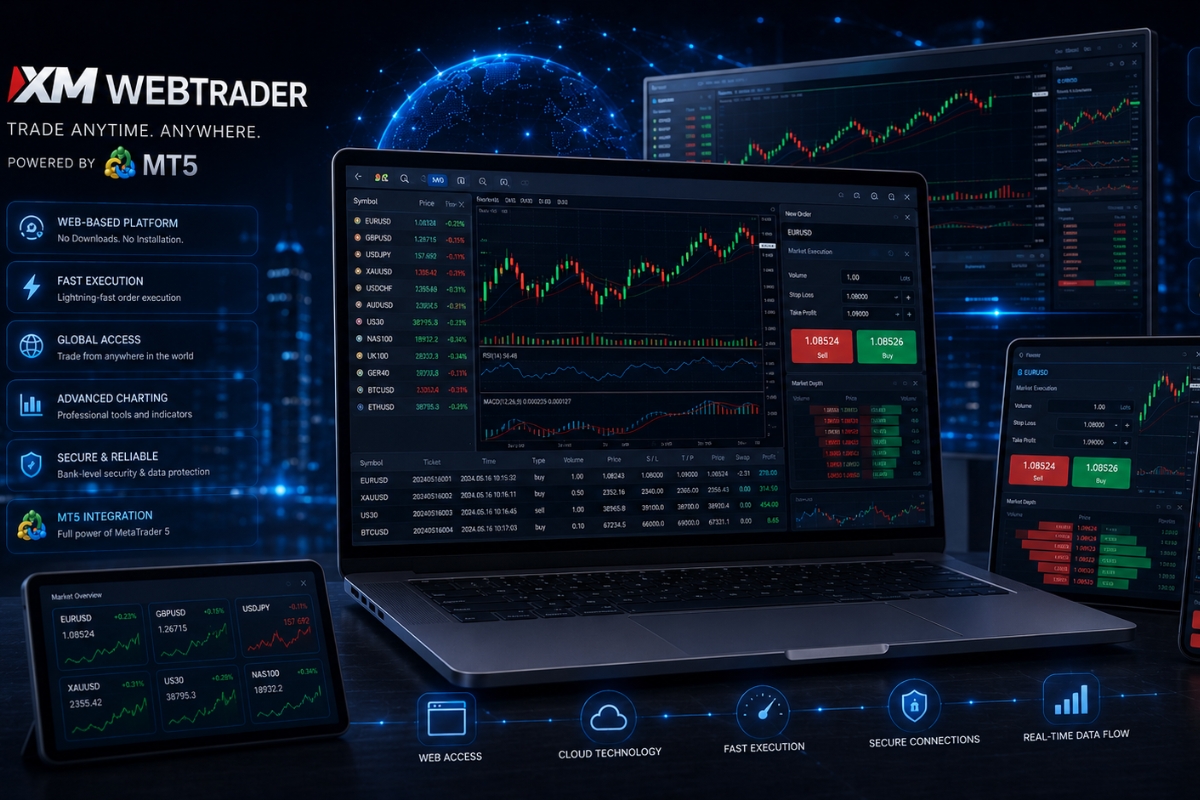
XM WebTrader is a browser-based trading platform that requires no download and runs instantly. Therefore, traders can access the market anytime with just an internet connection.
Additionally, order execution in XM WebTrader is fast and does not re-quote under normal conditions. This ensures trades are processed accurately with minimal delay.
Moreover, access to XM WebTrader is instant via browser using MT4/MT5 credentials on any device. Traders can log in and trade seamlessly without installation.
Furthermore, XM WebTrader integrates MT5 features, including advanced charts, indicators, and a range of order types. This supports full technical analysis and strategy execution online.
Finally, XM WebTrader combines experience, execution, access, and MT5 tools into a complete trading platform. It offers flexibility and efficiency for modern traders.
XM WebTrader combines accessibility, speed, and full MT5 functionality in one platform, making it ideal for flexible trading. Explore more in the XM Platform category to choose the best tool for your strategy.
XM WebTrader overview and platform role
XM WebTrader acts as a sophisticated, cloud-based bridge between the trader and the global financial markets. It is a non-downloadable version of the famous MetaTrader interface, designed to run seamlessly on any modern web browser like Chrome, Safari, or Firefox. Its primary role is to provide a reliable, “always-on” trading station that mirrors the capabilities of the desktop version without the need for complex installations or hardware-specific requirements.

To fully appreciate this platform, we must look at its practical applications and how it stands apart from traditional software.
What is XM WebTrader used for?
XM WebTrader is utilized for a broad range of trading activities that require speed and mobility. It is the perfect tool for:
- Instant Market Monitoring: Keeping track of price action across Forex, Stocks, and Commodities in real-time.
- Manual Trade Execution: Opening, closing, and modifying orders (including Stop Loss and Take Profit) with a single click.
- Account Management: Depositing funds, checking margins, and reviewing trading history directly from the browser.
- Emergency Access: Acting as a backup when your primary device is unavailable, ensuring you never lose control of your positions.
While its utility is clear, many traders wonder how it compares to the classic installed software.
How does XM WebTrader differ from desktop platforms?
The distinction lies primarily in the balance between convenience and computational depth.
- Installation: Desktop platforms require downloading and regular updates; WebTrader is accessible instantly via a URL.
- OS Compatibility: Desktop versions often struggle with Mac or Linux without extra software, whereas WebTrader is OS-agnostic.
- Algorithmic Trading: While desktop supports full Expert Advisors (EAs), WebTrader focuses on manual trading and analysis.
- Resource Usage: WebTrader is lighter on your computer’s RAM, making it ideal for older devices or laptops.
Once you have mastered the basics of the platform’s role, it is time to examine how it actually performs when real capital is on the line.
XM WebTrader experience in real trading conditions
The experience of using XM WebTrader in a live market environment is characterized by its “clean” and “distraction-free” philosophy. In high-stakes trading, visual clarity is paramount. The platform provides a high-definition charting interface that remains stable even during extreme market volatility, such as NFP releases or central bank interest rate announcements.

This professional experience is built upon technical stability and several user-centric features.
How does XM WebTrader perform during live trading?
Performance in live conditions is measured by data accuracy and interface responsiveness. XM WebTrader utilizes advanced data compression to ensure that price feeds are updated every millisecond.
- Stability: It maintains a 99.9% uptime, crucial for traders holding intraday positions.
- Visual Feedback: Indicators and price candles render smoothly, allowing for precise technical analysis.
- Synchronization: Any change made on the WebTrader is instantly updated on your mobile app or desktop version, providing a unified ecosystem.
Beyond the technical metrics, there are several qualitative advantages that enhance the daily workflow of a trader.
What are the user experience advantages of XM WebTrader?
The user experience (UX) is tailored to reduce “cognitive load,” allowing the trader to focus entirely on the strategy.
- One-Click Trading: Execute trades instantly without multiple confirmation windows.
- Customizable Layouts: Arrange your workspace to see only the charts and tools you need.
- No Technical Maintenance: You never have to worry about “updating” your platform; XM handles all upgrades on the server side.
- Trusted Guidance: For those following the strategic insights at MBroker, the WebTrader interface provides the perfect canvas to apply professional analysis.
A great user interface is worthless without a strong engine, which brings us to the core of the platform: the execution system.
Execution system and order handling XM WebTrader
The XM WebTrader execution system is built on a “No Re-quotes” and “No Rejections” policy, which is the gold standard for retail trading. This means that 99.35% of all orders are executed in less than one second at the exact price you see on the screen.

To understand why this system is so effective, we must look at the mechanics of order processing.
How are orders executed on XM WebTrader?
When you click a trade button on the web interface, the following sequence occurs:
- Request Initiation: Your browser sends an encrypted instruction to the XM trade server.
- Liquidity Matching: The server instantly matches your order with the best available price from a deep pool of liquidity providers.
- Confirmation: The execution is finalized, and your trade status is updated in your “Open Positions” tab—all in a fraction of a heartbeat.
The platform supports all essential order types, including Market, Limit, Stop, and Trailing Stop orders.
However, the speed of this process can sometimes be affected by external variables that traders should be aware of.
What factors influence execution performance?
Several factors can dictate how fast your orders are filled:
- Internet Connection: A stable fiber or 5G connection reduces the “ping” between your browser and the server.
- Browser Efficiency: Modern browsers with hardware acceleration enabled will process chart data faster.
- Market Liquidity: During major news, spreads may widen, but XM’s deep liquidity pool helps maintain tight fills.
- Geographic Location: While XM has global servers, being closer to major financial hubs can slightly improve latency.
Ease of execution is only useful if you can get into your account quickly, which leads us to the topic of accessibility.
Access and login XM WebTrader flexibility
The flexibility of XM WebTrader access is one of its most compelling selling points. Gone are the days when you needed to carry a specific “trading laptop” everywhere. This universal access is secured with high-level SSL encryption, ensuring that your financial data and personal information remain private, even when accessing the platform from different networks.

The login process is designed to be as simple as checking your email, but with the security of a bank.
How does XM WebTrader login work?
Logging in is a three-step process that takes less than thirty seconds:
- Visit the Terminal: Navigate to the XM WebTrader portal.
- Enter Credentials: Use your existing MT4 or MT5 account number and password.
- Select Server: Choose the specific server assigned to your account (e.g., XMGlobal-Real 1).
Once logged in, all your saved preferences and active trades are automatically loaded, providing a seamless continuation of your previous session.
This level of mobility offers significant strategic advantages for modern investors.
What are the advantages of browser-based access?
The benefits of browser access extend far beyond mere convenience:
- Independence: You are not locked into Windows or any specific hardware.
- Discretion: Trade quietly without installing conspicuous software on a work or shared computer.
- Risk Mitigation: If your main computer experiences a hardware failure, you can use a phone or tablet browser to manage your risk immediately.
- MBroker Integration: Many users find that WebTrader is the fastest way to implement the real-time signals and market updates provided by MBroker.
While access is universal, the specific features available depend on which version of the platform you choose, with MT5 being the modern favorite.
XM WebTrader MT5 features and capabilities
The XM WebTrader MT5 version represents the pinnacle of web-based trading technology, offering a multi-asset experience that goes beyond just Forex. MT5 was designed to handle a wider array of symbols, including individual stocks, energies, and indices, all from a single login.

Let’s break down the specific features that make the MT5 web version so powerful.
What features does XM WebTrader MT5 provide?
The MT5 web terminal is packed with professional-grade tools:
| Feature Category | MT5 WebTrader Capability |
| Technical Analysis | 30+ built-in indicators and 24 analytical objects. |
| Timeframes | 9 standard timeframes for versatile trend analysis. |
| Asset Classes | Access to over 1,000 instruments (Forex, CFDs, Stocks). |
| Order Management | Full support for hedging and netting account modes. |
| Market Depth | Real-time “Depth of Market” to see liquidity levels. |
These tools are not just for show; they directly contribute to better trading outcomes.
How does MT5 improve WebTrader performance?
MT5 improves performance through fundamentally better coding architecture. It handles large amounts of historical data much faster, allowing charts to load instantly even when looking back several years.
Furthermore, the MT5 engine is optimized for “multi-threading,” which means it can process multiple tasks (like updating price feeds and calculating indicators) simultaneously without slowing down.
This technical efficiency ensures that your web-based experience is almost indistinguishable from a high-end desktop installation.
In conclusion, XM WebTrader provides a comprehensive, secure, and highly efficient environment for modern traders. By combining the legendary execution of XM with the universal access of a web browser, it empowers you to trade on your own terms. For more specialized guides and platform optimization, stay connected with MBroker.

Sylas Trenven is a forex strategist who helps traders master risk and timing. His work focuses on behavior-driven market entries and portfolio optimization for XM users looking to trade with precision and discipline. Email: [email protected]