

According to the XM Trading Glossary, margin is the minimum amount of money required in a trading account to open new positions or maintain existing ones on the market. It is not a fee or a cost, but a portion of equity locked while a trade remains open.
Required margin is generally calculated using the formula: Volume x Contract Size x Market Price, divided by Leverage. The result is expressed in the account’s base currency and varies by instrument, lot size, and the current market price at the time of trade execution.
According to XM’s official FAQ, XM offers leverage up to a high ratio depending on account equity and the legal entity under which the account is held, with exact caps varying and subject to regulatory limits such as those imposed on ESMA-regulated entities. Because leverage multiplies both potential gains and losses, traders must understand that lower margin usage does not reduce the underlying market risk of the position.
A margin call at XM is triggered when the margin level falls to a specific threshold, followed by an automatic stop-out that closes positions if equity drops further; traders should check XM’s official trading conditions page for the exact percentage levels applicable to their account type. These levels differ depending on the account type and legal entity under which the account is held.
XM provides an online forex calculator that helps traders estimate the required margin, along with potential risk and profit, for CFDs, forex pairs, and other tradable instruments before a trade is placed. Mbroker recommends verifying results against the official tool for the exact instrument and account in use.
The following section defines what margin actually represents within an XM trading account.
What Is Margin at XM?
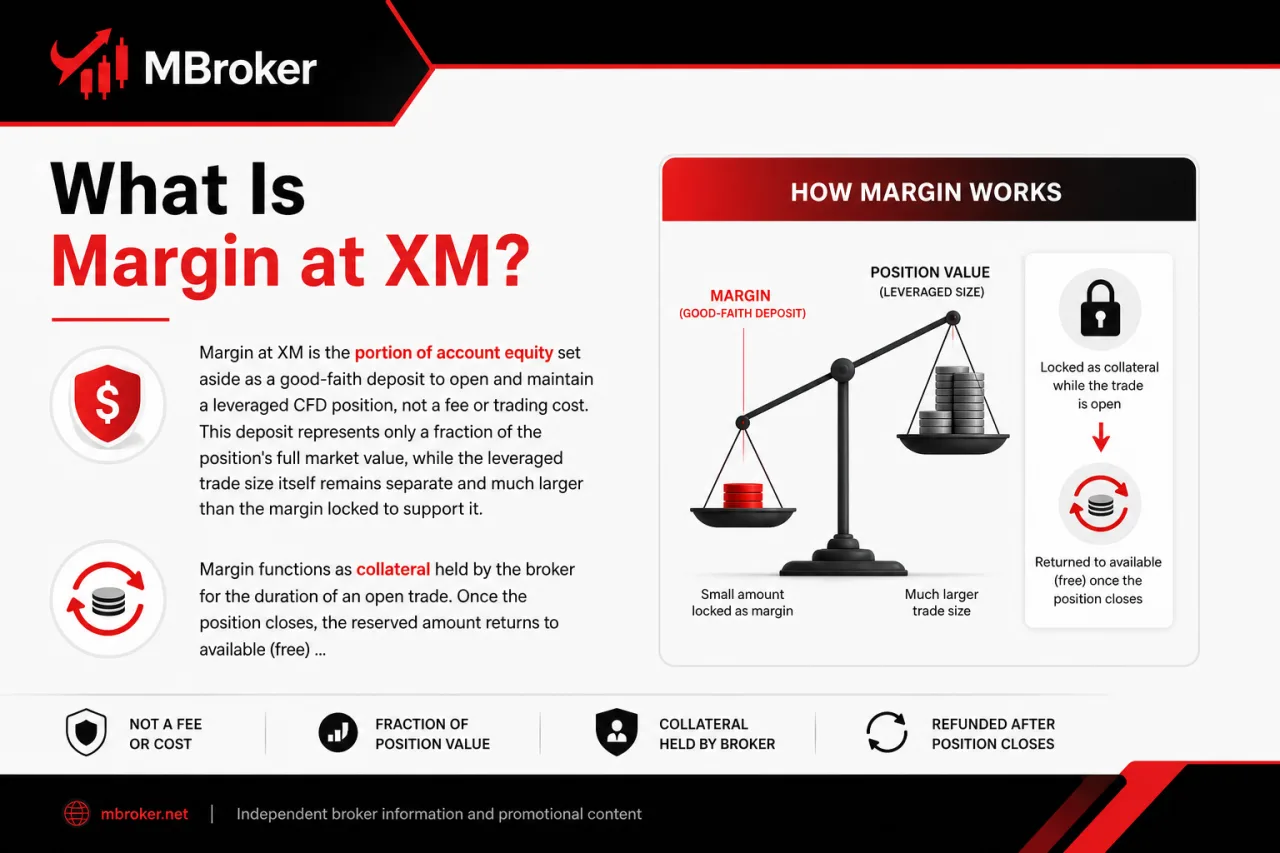
Margin at XM is the portion of account equity set aside as a good-faith deposit to open and maintain a leveraged CFD position, not a fee or trading cost. This deposit represents only a fraction of the position’s full market value, while the leveraged trade size itself remains separate and much larger than the margin locked to support it.
Margin functions as collateral held by the broker for the duration of an open trade. Once the position closes, the reserved amount returns to available (free) margin, subject to the trade’s profit or loss.
This mechanism applies across the CFD asset classes XM offers, including:
- Forex currency pairs
- Stock indices
- Commodities
- Individual stock CFDs
- Cryptocurrency CFDs where available in the client’s region
Exact margin requirements, contract specifications, and leverage caps vary depending on the XM legal entity, account type, and regulatory jurisdiction applicable to a given client. This explanation is informational only and does not constitute investment advice; traders should confirm current margin rules directly with XM before opening a position.
How Do You Calculate Required Margin at XM?
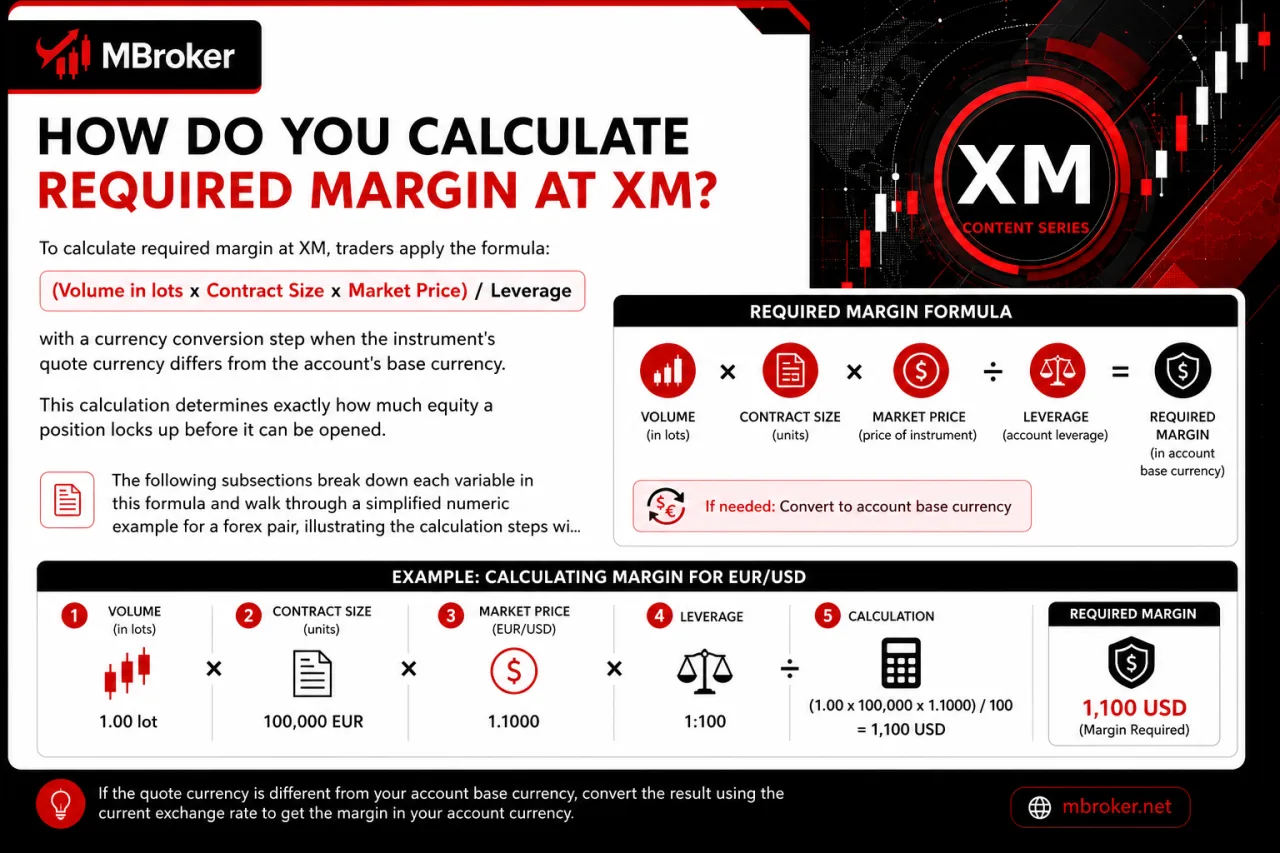
To calculate required margin at XM, traders apply the formula: (Volume in lots x Contract Size x Market Price) / Leverage, with a currency conversion step when the instrument’s quote currency differs from the account’s base currency. This calculation determines exactly how much equity a position locks up before it can be opened.
The following subsections break down each variable in this formula and walk through a simplified numeric example for a forex pair, illustrating the calculation steps without predicting future prices. Exact contract size, quote currency, and leverage tier depend on the specific instrument and account type selected, so traders should confirm current values directly on the XM trading platform before placing any order.
What Inputs Are Needed to Calculate Margin?
Calculating required margin at XM draws on five core inputs: trade volume, contract size, market price, account leverage, and the quote-to-account currency conversion rate. Each variable pulls from a different source, and missing one changes the margin figure entirely.
These inputs work together inside the margin formula covered earlier in this article. Traders confirm each value before opening a position.
- Trade volume: The position size expressed in lots, which directly affects the margin required to open a trade. Our XM Lot Size guide explains contract sizes, minimum trading volumes, and lot increments across different XM instruments.
- Contract size: The standardized unit value of the instrument, defined in XM’s contract specifications and differing between forex, indices, commodities, stocks, and crypto CFDs.
- Market price: The current quote for the instrument at the moment the order executes.
- Account leverage: The ratio assigned to the trading account, which determines how much of the position value must be covered by margin.
- Currency conversion rate: The exchange rate applied when the instrument’s quote currency differs from the account’s base currency, converting the margin figure into the account currency.
These values differ by instrument and change over time. Traders check the current contract specifications and leverage settings on the XM platform before calculating margin for any specific trade.
Does Margin Calculation Differ Between CFDs and Cryptocurrency CFDs?
Yes, margin calculation differs between traditional CFDs and cryptocurrency CFDs at XM, mainly because crypto instruments carry lower maximum leverage and correspondingly higher margin percentages. This distinction directly affects how much equity a position locks up, even when the same margin formula covered earlier applies to both asset types.
The underlying calculation method stays identical across products: Volume x Contract Size x Market Price, divided by Leverage.
What changes is the leverage cap itself. XM sets this more conservatively for crypto CFDs due to their higher price volatility compared to forex, indices, or standard stock CFDs.
- Forex and index CFDs typically access XM’s higher leverage tiers, reducing the margin locked per lot.
- Commodity and stock CFDs follow instrument-specific leverage limits defined in XM’s contract specifications.
- Cryptocurrency CFDs carry stricter leverage caps, raising the required margin percentage for an equivalent position size.
These leverage caps and margin percentages vary by XM legal entity, account type, and regional regulation, so exact figures differ between clients; traders should check XM’s official trading conditions page for the specific rates that apply to their account.
Traders confirm current leverage tiers and margin requirements for each instrument category directly on the XM trading platform or contract specification pages before opening a crypto CFD position.
How Does Leverage Affect Margin Requirements at XM?
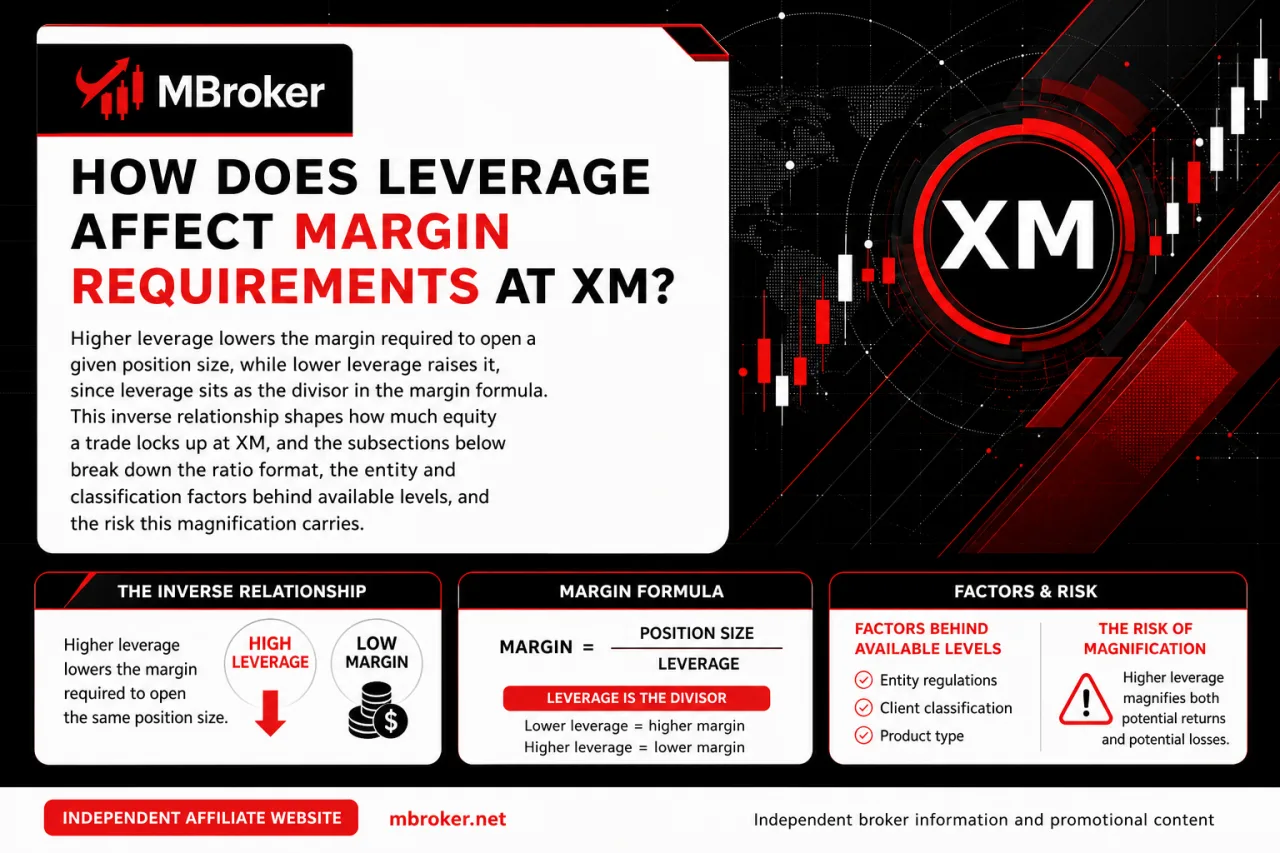
Higher leverage lowers the margin required for a fixed position size, while lower leverage increases it because leverage is the divisor in the margin formula. Our XM Leverage guide explains how account equity, instrument-specific limits, and regulatory entities affect the leverage ratios available to traders. This inverse relationship shapes how much equity a trade locks up at XM, and the subsections below break down the ratio format, the entity and classification factors behind available levels, and the risk this magnification carries.
What Leverage Levels Does XM Offer for Different Instruments?
XM groups leverage into distinct tiers across five asset classes: forex, indices, commodities, stocks, and cryptocurrency CFDs, with each category capped at a different maximum ratio. This grouping directly determines how much margin a position locks up, building on the leverage-margin relationship covered above.
Forex pairs and major indices typically sit at the higher end of XM’s leverage scale, since these instruments carry deeper liquidity and narrower price swings compared to other asset classes. Commodities and stock CFDs follow tighter, instrument-specific caps set out in XM’s contract specifications. Cryptocurrency CFDs receive the most conservative leverage limits across the entire product range, reflecting their higher volatility profile.
Margin requirements also apply to specialized index CFDs, including XM Thematic Indices. Traders should verify each thematic instrument’s contract specifications and permitted leverage rather than assuming its margin requirements match those of major stock market indices.
Beyond asset class, leverage availability splits further by regulatory entity, with ESMA-regulated XM entities enforcing lower maximum ratios than offshore-regulated entities; traders should check XM’s official trading conditions page for the exact caps applicable to their specific entity and instrument category.
Account type and client classification (retail versus professional) also shift the applicable ceiling within a given entity. Because these limits change periodically and depend on the entity holding the account, traders check the official leverage table published for their specific XM entity before opening a position.
What Is a Margin Call at XM?
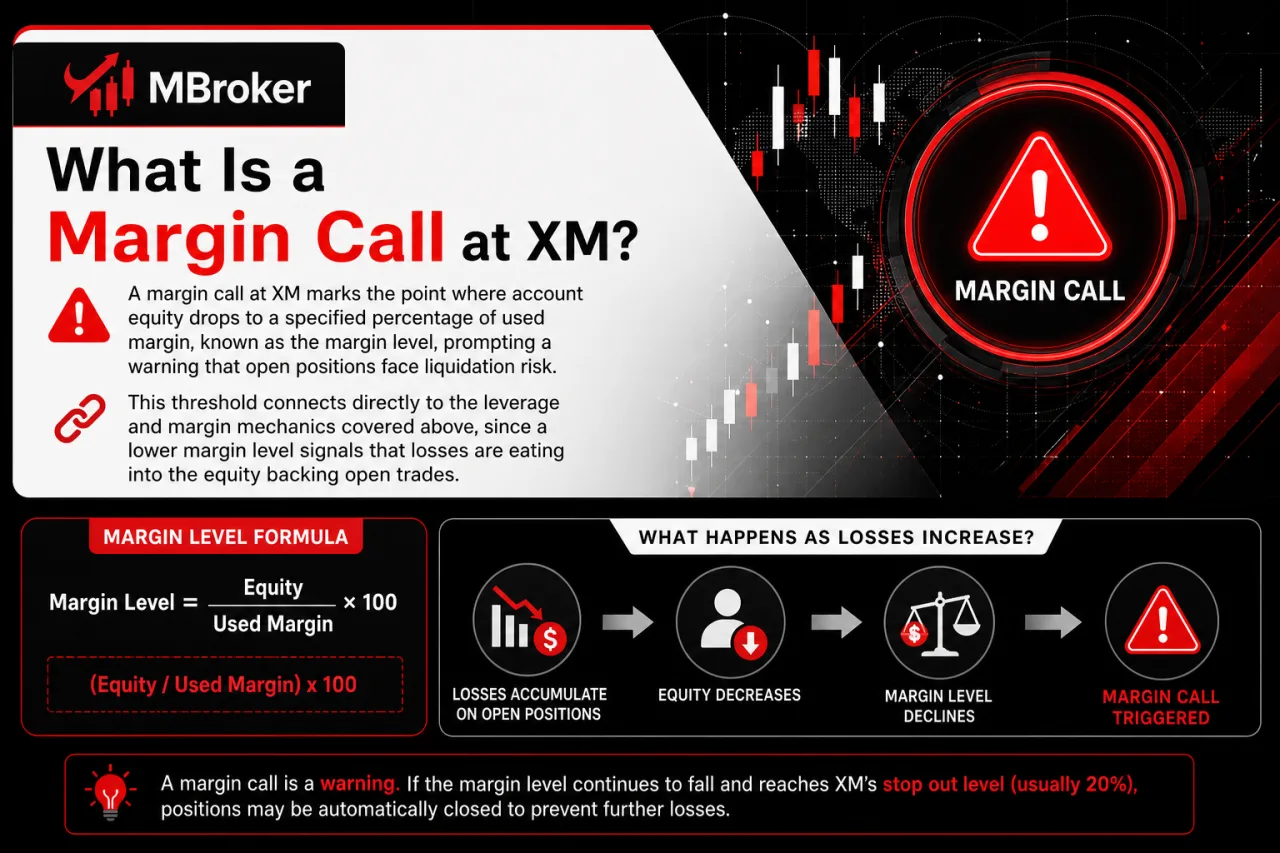
A margin call at XM marks the point where account equity drops to a specified percentage of used margin, known as the margin level, prompting a warning that open positions face liquidation risk. This threshold connects directly to the leverage and margin mechanics covered above, since a lower margin level signals that losses are eating into the equity backing open trades.
Margin level itself follows a defined formula: (Equity / Used Margin) x 100. As losses accumulate on open positions, equity falls relative to used margin, pulling the margin level down toward the trigger point.
Reaching the margin call threshold does not close positions automatically. It instead functions as an alert stage, distinct from the stop-out level, which forces position closures once equity falls further.
According to the XMUK Client Agreement, Terms and Conditions of Business, the margin call threshold for Retail Clients is defined specifically according to the account type and the XM legal entity under which the account operates. The exact percentage is not stated here to avoid misquoting the source document. Traders confirm the precise threshold applicable to their account by checking the official XM trading conditions documentation for that specific account type and entity.
Traders monitor margin level continuously through their trading platform, since this figure updates in real time as market prices move against or in favor of open positions.
What Happens at the Stop-Out Level at XM?
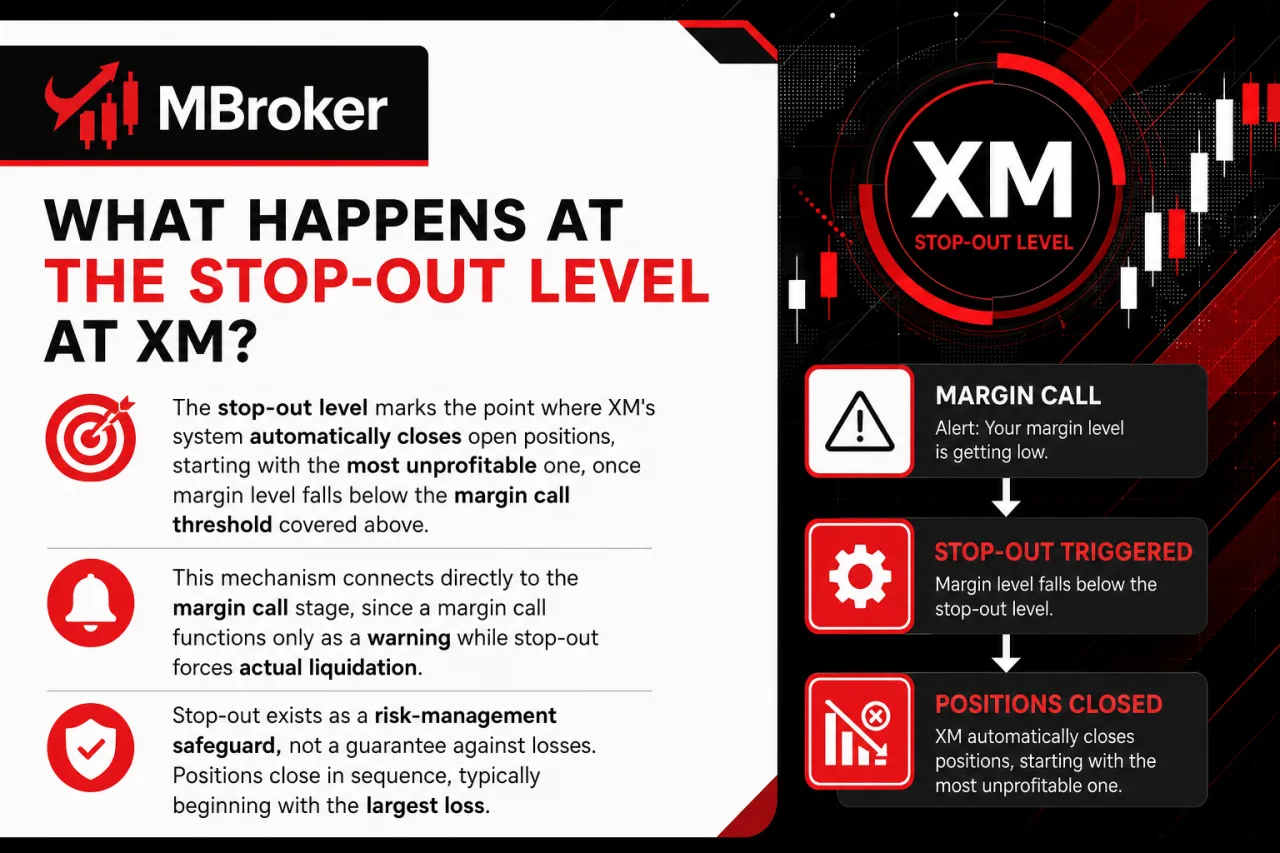
The stop-out level marks the point where XM’s system automatically closes open positions, starting with the most unprofitable one, once margin level falls below the margin call threshold covered above. This mechanism connects directly to the margin call stage, since a margin call functions only as a warning while stop-out forces actual liquidation.
Stop-out exists as a risk-management safeguard, not a guarantee against losses. Positions close in sequence, typically beginning with the largest floating loss, continuing until margin level rises back above the stop-out threshold or no open positions remain.
According to the XM Client Agreement, Terms and Conditions of Business, the exact Stop-out Level is defined as a specific percentage of the Margin Level required to maintain open positions, with the precise figure varying by XM entity and account type.
Traders confirm the specific stop-out percentage applicable to their account by checking XM’s official trading conditions page or the client agreement directly before opening leveraged positions.
This automatic closure does not prevent all losses. Slippage during fast-moving markets still results in a position closing at a price worse than the stop-out trigger level.
How Can You Calculate Margin Using XM’s Tools?
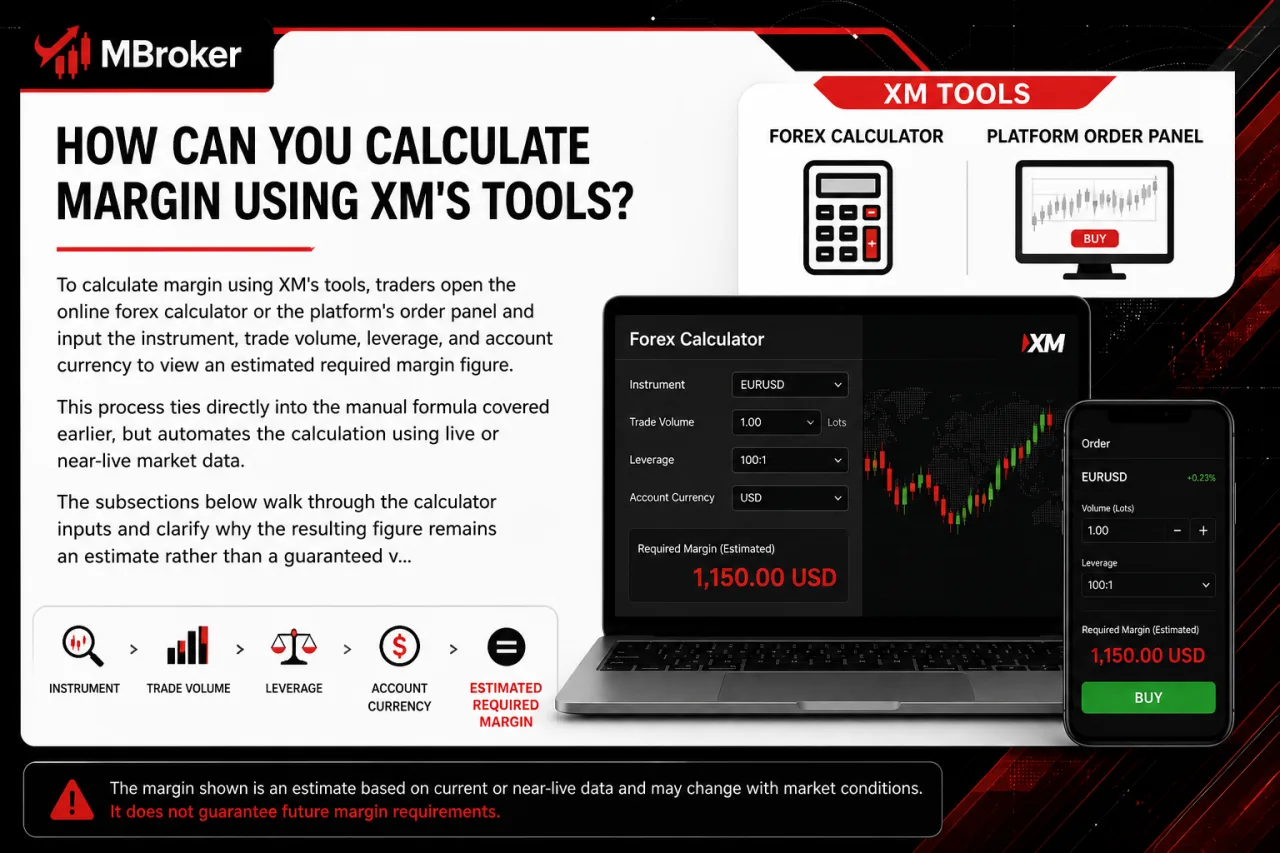
To calculate margin using XM’s tools, traders open the online forex calculator or the platform’s order panel and input the instrument, trade volume, leverage, and account currency to view an estimated required margin figure. This process ties directly into the manual formula covered earlier, but automates the calculation using live or near-live market data. The subsections below walk through the calculator inputs and clarify why the resulting figure remains an estimate rather than a guaranteed value.
Is the XM Margin Calculator Available for Both CFDs and Crypto Instruments?
Yes, the XM margin calculator covers CFDs and cryptocurrency CFDs, since the tool lists forex, indices, commodities, stocks, and crypto instruments within the same instrument selection menu. This coverage builds directly on the calculator inputs described above, though instrument-specific limitations still apply within that shared interface.
Availability inside the tool follows the same underlying logic as manual calculation: each instrument category pulls its own contract size, leverage cap, and quote currency, so the output figure reflects the specific asset selected rather than a single generic rate. Crypto CFDs, for instance, apply the stricter leverage limits noted earlier, producing a higher margin estimate than a comparable forex position.
Regional and entity-specific restrictions can still limit which instruments appear as tradable within a given account, since not every XM legal entity offers the same range of CFD products; traders should check XM’s official trading conditions page for the specific instruments available to their account.
Traders confirm full instrument coverage and current specifications by checking the calculator directly on XM’s platform or the official contract specifications page before relying on any estimated figure.
How Does Negative Balance Protection Relate to Margin at XM?
Negative balance protection prevents a retail client’s account balance from falling below zero even after stop-out closes all open positions. This safeguard operates separately from the margin call and stop-out mechanism covered above, since stop-out triggers position closure while negative balance protection addresses what happens if losses still exceed remaining equity afterward, typically during periods of extreme volatility or price gaps. The following subsection clarifies which clients and entities this protection actually covers.
Does Negative Balance Protection Apply to All XM Account Types?
No, negative balance protection does not apply uniformly across all XM account types, since eligibility depends on client classification and the specific XM legal entity governing the account. This restriction ties directly into the protection mechanism covered above, since coverage narrows once a client falls outside the retail category or holds an account under an entity where the safeguard is not contractually guaranteed.
Three factors commonly limit eligibility:
- Classification status: retail clients typically retain this protection, while clients reclassified as professional often lose it under the same terms.
- Legal entity: each XM entity operates under its own regulatory framework, so the specific protection clause varies between jurisdictions.
- Account terms: the exact wording defining coverage sits within the client agreement tied to the entity holding the account, not a single universal policy.
Traders confirm their own eligibility by reviewing the client agreement published for their specific XM entity, since, according to the XMUK Client Agreement, Terms and Conditions of Business, XM applies its Negative Balance Protection policy on a per-account basis, and eligibility can differ depending on whether the account is classified as Retail or Professional under XM’s Client Categorisation.
Conclusion
Margin at XM is the portion of account equity reserved to open and maintain a leveraged position. It is not a trading fee and is released when the position closes, subject to the resulting profit or loss. The required amount depends on trade volume, contract size, market price, leverage and any necessary currency conversion. Although higher leverage reduces the initial margin requirement, it does not reduce market exposure and may cause the margin level to decline rapidly when prices move against the position.
Before placing a trade, traders should verify the latest contract specifications, leverage limits, margin call and stop-out thresholds, and negative balance protection terms applicable to their instrument, account type and XM legal entity. XM’s calculator can provide a useful estimate, but live prices and account-specific conditions may affect the final figure.
Using conservative position sizes, maintaining sufficient free margin and monitoring the margin level are essential for reducing the risk of forced liquidation. Readers can learn more about our independent editorial approach, research standards, and XM financial market resources on the About Mbroker page.

Sylas Trenven is the XM Trading Platform & Markets Editor at Mbroker, specializing in Forex trading platforms, financial instruments, and market-related research. He focuses on analyzing MetaTrader 4, MetaTrader 5, trading technology, and XM market conditions to provide accurate, practical, and accessible information for Forex and CFD traders.