
 Tiếng Việt
The XM Micro Account is an entry-level trading account that measures contract sizes in micro lots instead of standard lots, allowing traders to open positions with significantly smaller trade volumes. It supports both MT4 and MT5 platforms and carries its own set of conditions for minimum deposit, leverage and spreads, which are detailed further in this article.
The core distinction between the two account types lies in contract size: one lot equals 1,000 units of the base currency on the Micro Account, compared to 100,000 units on the Standard Account. This structural difference directly affects position sizing, margin requirements and the overall risk exposure per trade.
The XM Micro Account is designed for traders who want to operate with small trade volumes and limited capital exposure, making it a common starting point for beginners still testing strategies in live market conditions. Its smaller contract size allows for more granular control over position sizing compared to accounts built for larger trade volumes.
Opening an XM Micro Account follows the same registration process as other XM account types, either through a new sign-up or by adding it directly within an existing client profile. Existing XM clients can generally add a Micro Account to their profile by logging into their existing account area and submitting a request to open an additional trading account, without needing to complete a new registration from scratch. No separate application or additional verification is required beyond the standard account opening steps.
Mbroker breaks down these details below, starting with what the XM Micro Account is, its key features, and how it compares directly against the Standard Account.
What Is the XM Micro Account?
What Is the XM Micro Account
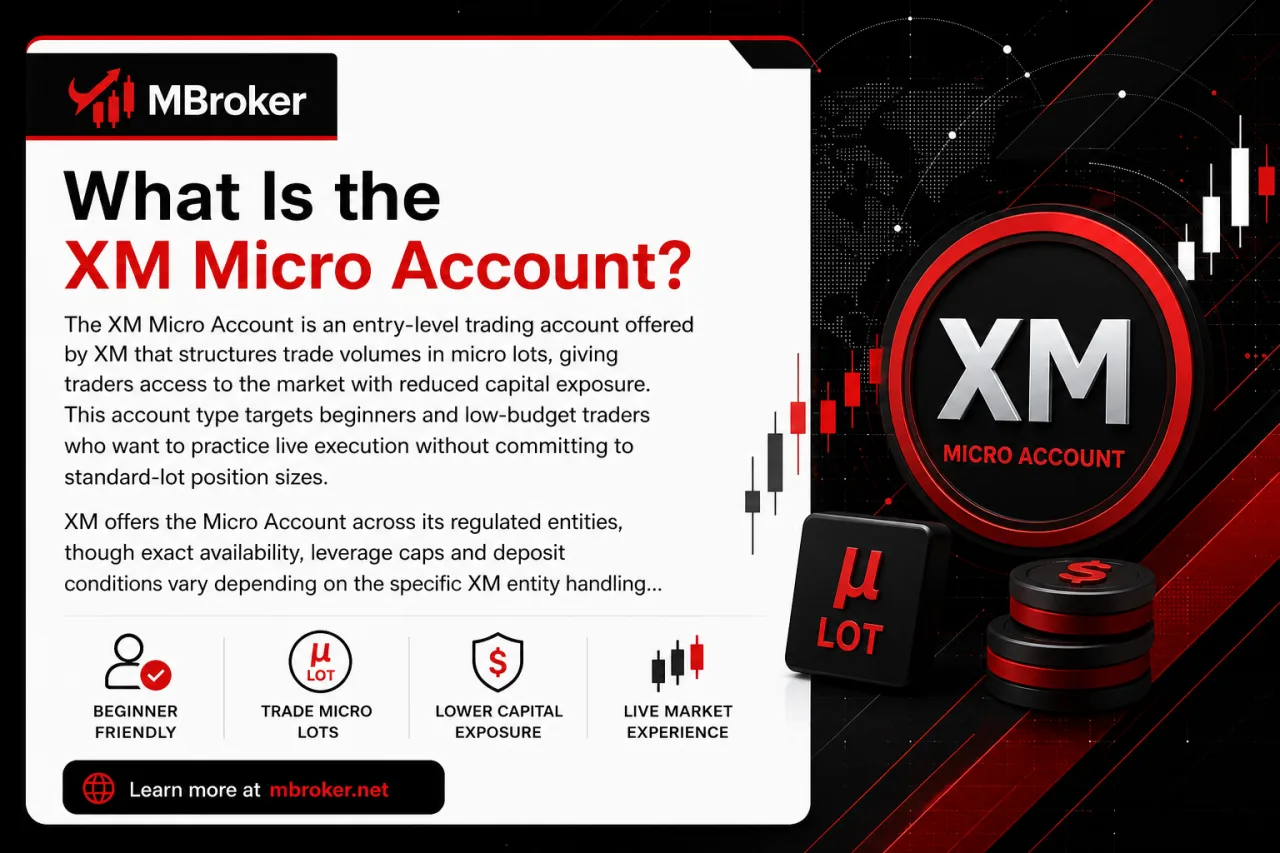
The XM Micro Account is an entry-level trading account offered by XM that structures trade volumes in micro lots, giving traders access to the market with reduced capital exposure. This account type targets beginners and low-budget traders who want to practice live execution without committing to standard-lot position sizes.
XM offers the Micro Account across its regulated entities, though exact availability, leverage caps and deposit conditions vary depending on the specific XM entity handling the client’s registered country. Clients registering under stricter regulatory jurisdictions may face lower leverage limits or additional eligibility checks compared to those under less restrictive XM entities, though the exact conditions can vary and should be confirmed directly with XM during account registration.
The account runs on both MT4 and MT5, matching the platform choice available to Standard Account holders. Its main purpose centers on allowing traders to test strategies, manage risk in smaller increments, and build experience before scaling up to larger contract sizes on a Standard Account.
What Are the Key Features of the XM Micro Account?
What Are the Key Features of the XM Micro Account
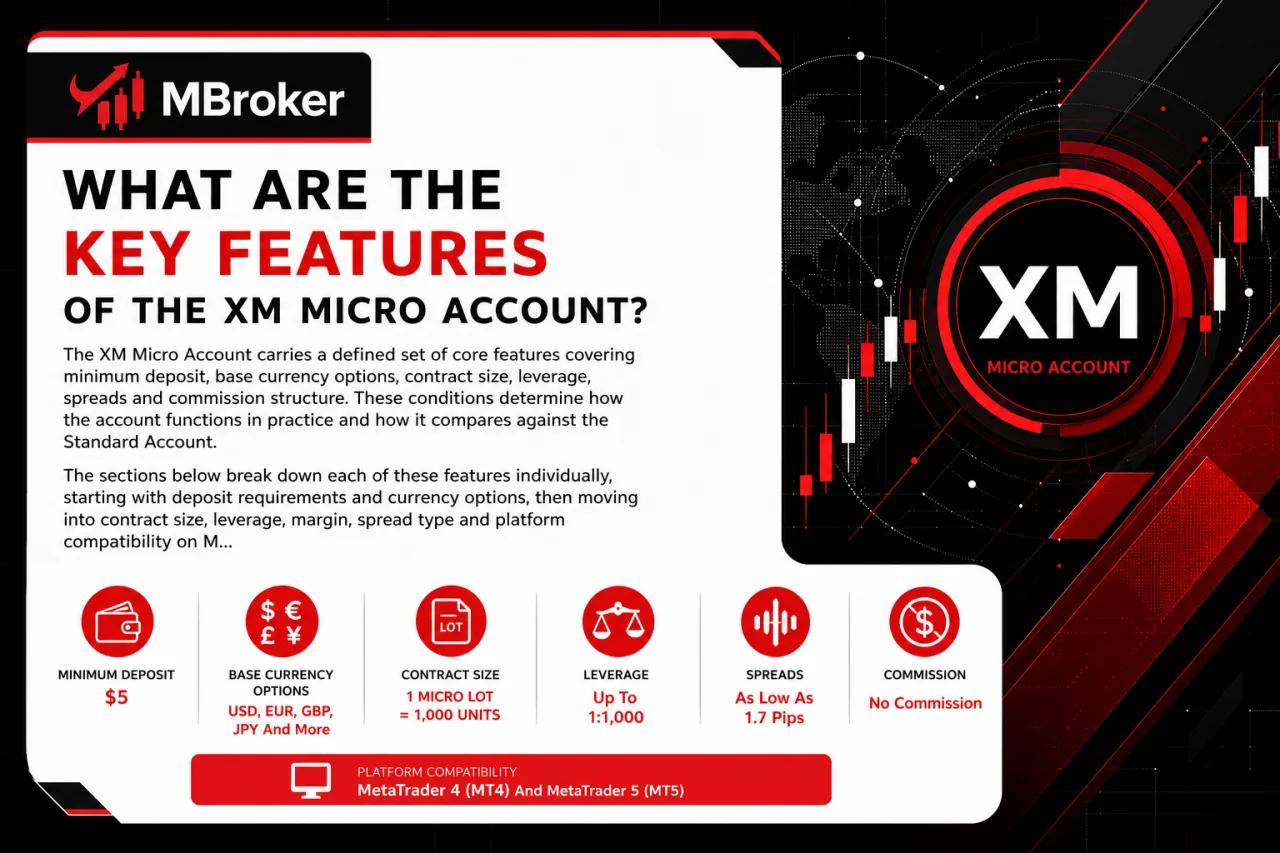
The XM Micro Account requires a minimum deposit of just $5 and uses a smaller contract size of 1,000 units per lot, alongside defined rules for base currency, leverage, spreads and commission structure. These conditions determine how the account functions in practice and how it compares against the Standard Account. The sections below break down each of these features individually, starting with deposit requirements and currency options, then moving into contract size, leverage, margin, spread type and platform compatibility on MT4 and MT5.
What Is the Minimum Deposit for the XM Micro Account?
According to XM’s official account types page, the minimum deposit for the Micro Account is $5, though the exact figure depends on the XM legal entity processing the client’s registration.
This deposit threshold determines how quickly a trader can activate the account and begin placing trades on MT4 or MT5.
XM offers several base currency options for the Micro Account, allowing clients to fund and trade in a currency that suits them without constant currency conversion; the exact list of supported base currencies can vary by legal entity and should be confirmed directly with XM.
The minimum deposit figure is not fixed across all regions. Clients registered under stricter regulatory entities may see different minimum funding requirements compared to those under less restrictive XM entities.
- Confirming the exact minimum deposit directly on the official XM account opening page for the applicable entity avoids relying on outdated figures.
- Selecting a base currency during registration locks in the currency used for deposits, withdrawals and profit/loss calculations on that account.
- Checking entity-specific terms before funding prevents mismatched expectations between regions.
What Is the Contract Size and Trading Volume Range?
The XM Micro Account sets contract size at 1,000 units of the base currency per lot, letting traders open positions far smaller than the 100,000-unit standard lot. This structure directly shapes the trading volume range available on the account.
Specific minimum and maximum trading volume limits per trade on the XM Micro Account can vary and should be confirmed directly through XM’s official trading conditions documentation. Volume is measured in micro lots, with minimum and maximum limits differing by instrument and by client entity.
- Micro lot: 1,000 units of the base currency, forming the standard building block of volume calculations on this account.
- Minimum trade size: starts at a fraction of a micro lot, confirmed on XM’s live trading conditions page for the applicable instrument.
- Maximum trade size: caps out at a set number of lots, varying by instrument and by the client’s XM entity.
- Volume limits: subject to change without prior notice and differ across symbols and legal entities.
Confirming exact minimum and maximum volume figures directly through the XM trading platform or the official specifications page avoids relying on outdated numbers.
What Leverage and Spread Conditions Apply?
The XM Micro Account applies tiered leverage options up to a maximum ratio set by the client’s registered XM entity, paired with floating spreads starting from a low pip value rather than a fixed spread structure. This section covers how leverage tiers, margin requirements and spread conditions interact on the Micro Account.
Leverage on the Micro Account scales according to the trader’s risk profile, account equity and the regulatory limits imposed by the specific XM entity handling registration. Leverage on XM accounts, including the Micro Account, varies by jurisdiction and client classification, with specific caps confirmed directly through XM’s official trading conditions page.
Margin requirements move inversely with leverage: higher leverage lowers the margin needed to open a position, while lower leverage under stricter entities raises the required margin per trade.
Spreads on the Micro Account run on a floating basis, meaning pip values widen or narrow with market liquidity rather than staying locked at a fixed rate. XM does not document a fixed-spread option for the Micro Account, based on the account’s official trading conditions.
- Leverage: tiered, capped by entity and client classification.
- Margin: adjusts inversely with the leverage level applied.
- Spreads: floating, starting from a low pip value depending on the instrument.
Confirming current leverage caps and live spread figures directly on XM’s trading conditions page avoids relying on outdated numbers, since both vary by instrument and entity.
XM Micro Account vs Standard Account: What Are the Key Differences?
XM Micro Account vs Standard Account: What Are the Key Differences
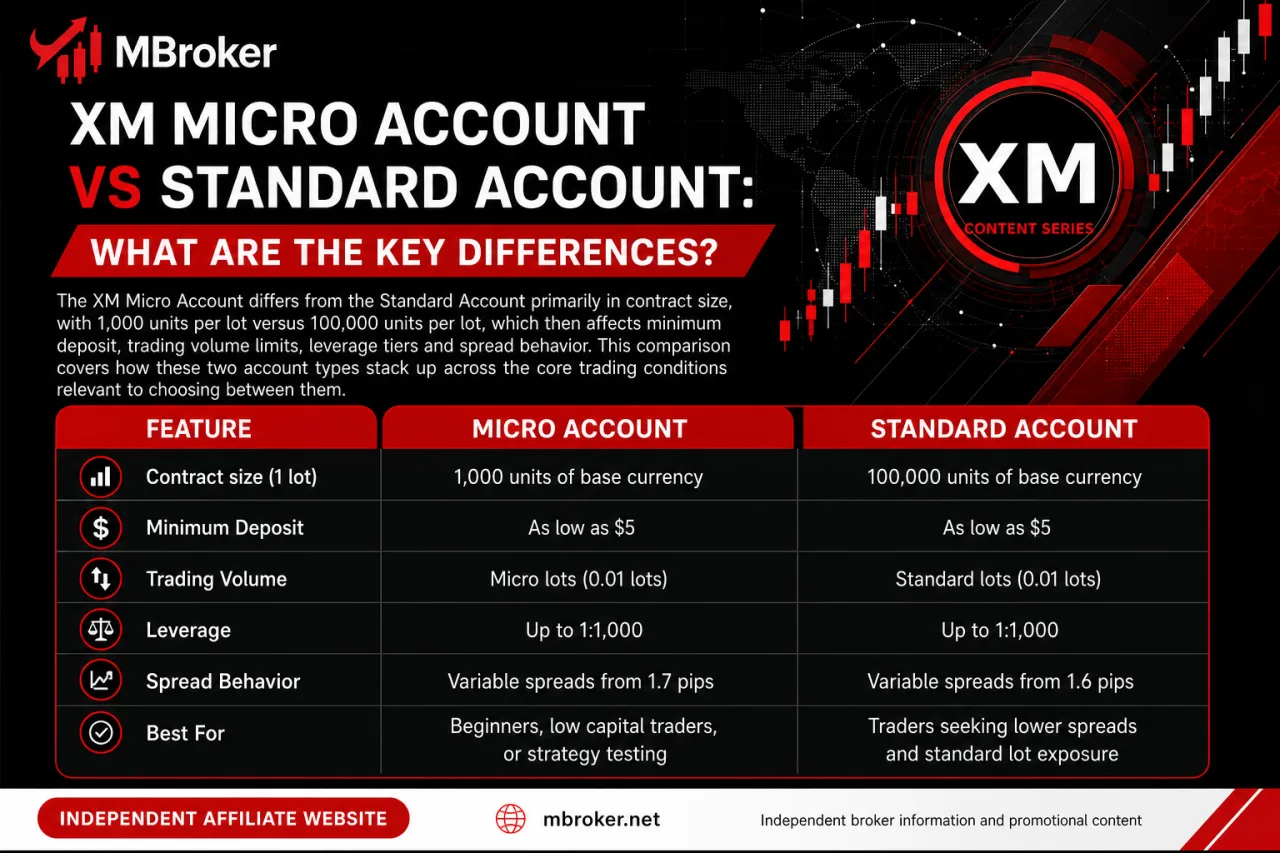
The XM Micro Account differs from the Standard Account primarily in contract size: 1,000 units per lot versus 100,000 units per lot. This difference then affects minimum deposit, trading volume limits, leverage tiers and spread behavior. This comparison covers how these two account types stack up across the core trading conditions relevant to choosing between them.
| Feature | Micro Account | Standard Account |
|---|---|---|
| Contract size (1 lot) | 1,000 units of base currency | 100,000 units of base currency |
| Minimum deposit | From $5, per official XM account types page | Varies by entity, confirm on official XM page |
| Minimum/maximum volume per trade | Smaller increments, scaled to micro lots | Larger increments, scaled to standard lots |
| Leverage | Tiered, capped by entity and client classification | Tiered, capped by entity and client classification |
| Spreads | Floating, starting from a low pip value | Floating, starting from a low pip value |
| Available instruments | Matches XM’s core instrument range on MT4/MT5 | Matches XM’s core instrument range on MT4/MT5 |
| Platform compatibility | MT4 and MT5 | MT4 and MT5 |
The exact minimum/maximum volume figures, leverage caps and instrument lists for both account types can vary by XM legal entity and should be confirmed directly through XM’s official account comparison page.
The practical difference boils down to position sizing: the Micro Account suits traders testing strategies with limited capital exposure, while the Standard Account fits those trading larger volumes with the same platform tools and instrument access.
Who Is the XM Micro Account Suitable For?
Who Is the XM Micro Account Suitable For
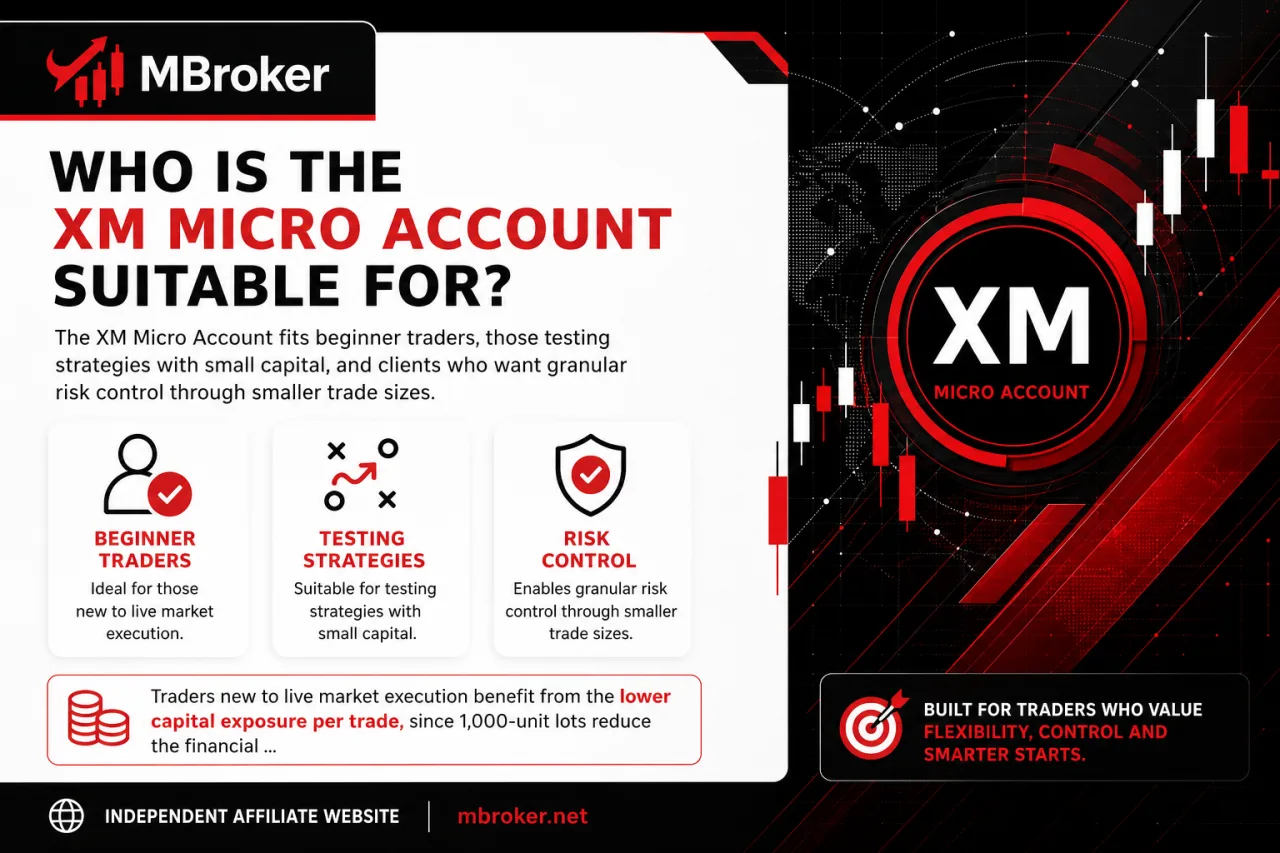
The XM Micro Account fits beginner traders, those testing strategies with small capital, and clients who want granular risk control through smaller trade sizes. This suitability question ties directly to the account’s target user eligibility, which rests on objective factors like trading experience, capital size and risk tolerance rather than subjective preference.
Traders new to live market execution benefit from the lower capital exposure per trade, since 1,000-unit lots reduce the financial impact of early mistakes compared to standard-lot sizing. Clients running strategy tests in real conditions also fit this profile, as smaller volumes allow multiple trade adjustments without committing large sums.
Retail client eligibility applies to most Micro Account applicants, though clients registering under stricter regulatory jurisdictions may be classified differently, which can affect leverage limits and available trading conditions; the exact classification criteria vary by XM legal entity and should be confirmed directly with XM.
Traders working with larger capital or requiring higher-volume position sizing generally find the Standard Account, or other XM account types, better aligned with their trading objectives instead.
How to Open or Add an XM Micro Account?
How to Open or Add an XM Micro Account
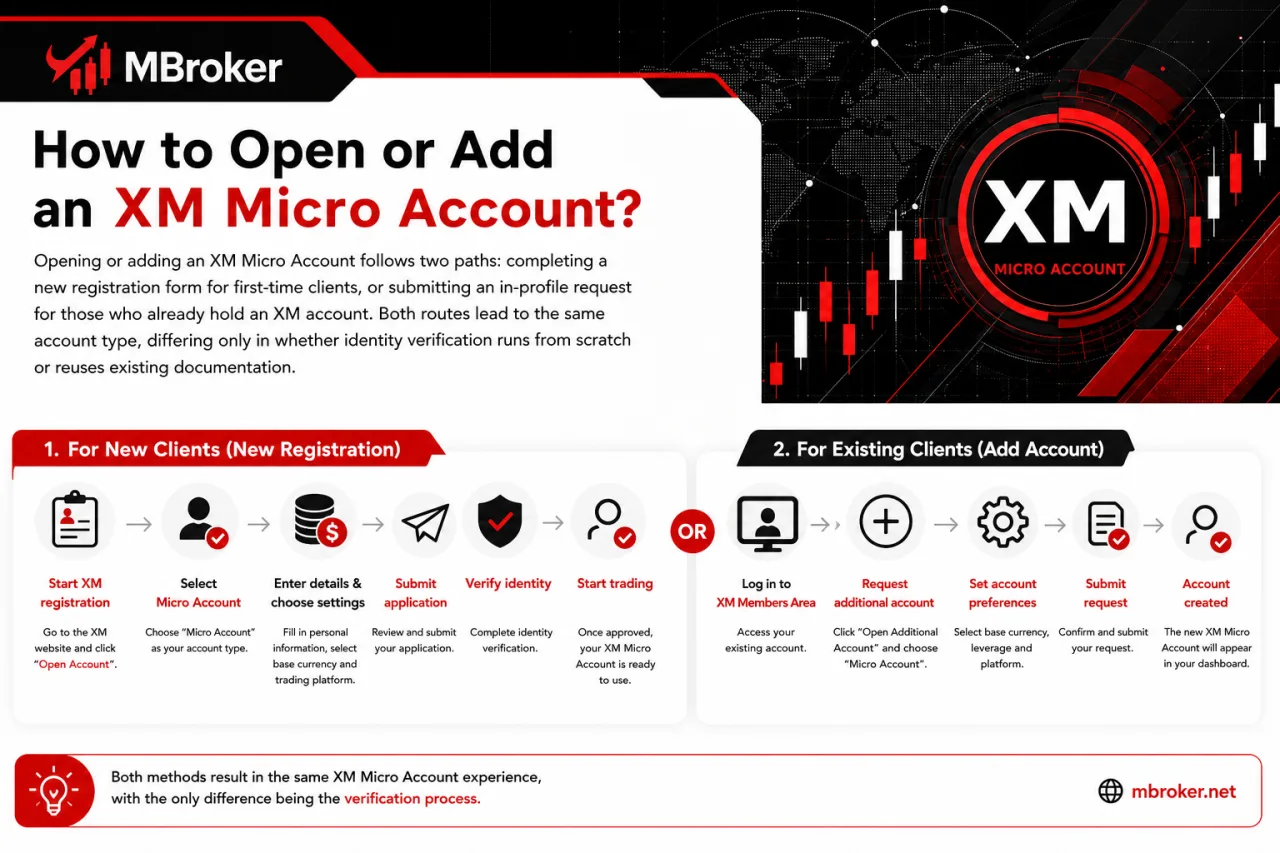
Opening or adding an XM Micro Account follows two paths: completing a new registration form for first-time clients, or submitting an in-profile request for those who already hold an XM account. Both routes lead to the same account type, differing only in whether identity verification runs from scratch or reuses existing documentation.
New clients start by selecting “Micro Account” during the initial XM sign-up form, entering personal details, choosing a base currency and platform, then submitting proof of identity and proof of address for verification before the account activates. Existing XM clients skip this verification step entirely, since their documents already sit on file; they log into the Members Area, request an additional account, select “Micro” as the account type, and the new trading account appears alongside their existing ones within the same profile.
- Selecting the Micro Account option during either the new sign-up form or the Members Area request.
- Submitting identity and address verification documents, required only for new clients without an existing XM profile.
- Choosing a base currency and platform (MT4 or MT5) at the point of account creation.
Exact document requirements and processing steps can vary by XM legal entity and should be confirmed directly through the official XM registration page.
Does the XM Micro Account Support Islamic (Swap-Free) or Demo Trading?
Yes, the XM Micro Account supports both a swap-free (Islamic) version and a demo version, subject to eligibility criteria and platform selection. This availability question covers two separate features: how Islamic status applies to the Micro Account and how the demo version replicates live conditions without real funds.
The swap-free option removes overnight interest charges on positions held past the daily rollover time. Eligibility for this status is generally tied to residency in a country with a Muslim-majority population, and traders typically confirm this during account verification or by submitting a separate request to the broker’s support team. Approval is not automatic for all account holders and depends on documentation review.
The demo version of the Micro Account mirrors real market conditions, including spreads and execution behavior, but uses virtual funds instead of real money. Activation happens directly from the account dashboard or during the initial registration process, allowing traders to test strategies before committing actual capital.
The sections below break down each of these separately, starting with swap-free eligibility and moving into demo account setup.
Are There Any Restrictions on the XM Micro Account?
Yes, the XM Micro Account carries specific restrictions distinct from the Standard Account, covering instrument access, hedging conditions and country-based eligibility. These limitations sit apart from the deposit, leverage and spread features already outlined above, focusing instead on what a Micro Account holder cannot do compared to other XM account tiers.
- Restricting certain higher-volume instruments or specific CFD categories to Standard or other account tiers, depending on the client’s registered XM entity.
- Applying hedging rules that mirror XM’s general policy, though margin treatment on hedged positions can differ slightly due to the smaller micro-lot contract size.
- Limiting account availability in specific countries where the registered XM entity does not offer the Micro tier at all.
- Capping maximum trade volume per position lower than what Standard Account holders access on the same instrument.
Exact restricted instruments, hedging margin treatment and country exclusions for the Micro Account can vary by XM legal entity and should be confirmed directly through XM’s official trading conditions and terms documentation.
Conclusion: Is the XM Micro Account Right for You?
The XM Micro Account may suit beginners and traders who want to control their exposure through smaller position sizes. Its 1,000-unit contract size is the main advantage over the Standard Account, allowing users to gain live-market experience or test strategies without immediately trading standard lots. Traders who require larger volumes may find the Standard Account more appropriate.
Before opening an account, confirm that the Micro Account is available through the XM legal entity serving your country. Minimum deposits, leverage, volume limits, instruments and swap-free eligibility may vary by region and client classification. Smaller contract sizes can reduce exposure per position, but leveraged trading still carries a significant risk of loss.

Neria Solven is Mbroker’s XM Accounts, Fees and Promotions Editor, covering account types, trading costs, payment methods and promotional programmes. Email: [email protected]