

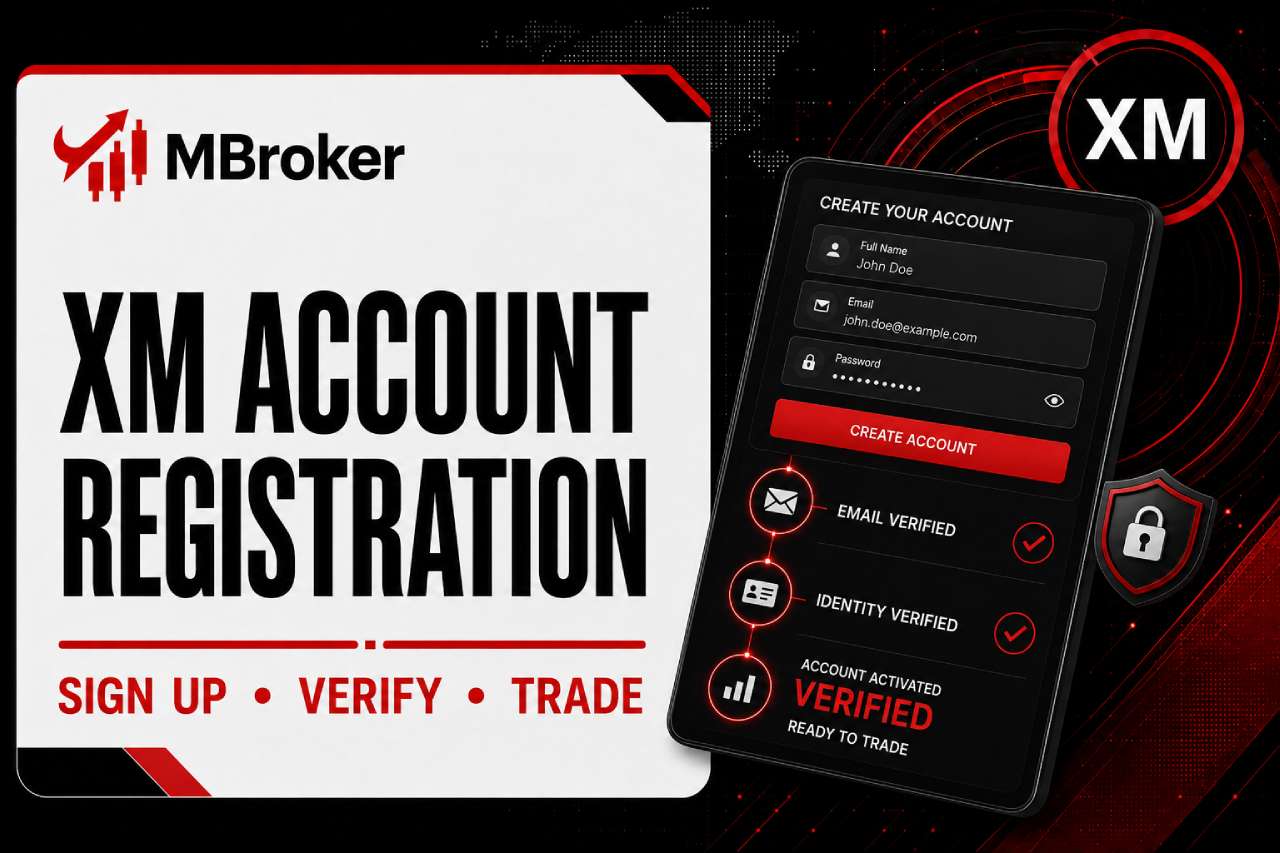
Registering an XM account requires creating a profile, opening a real trading account and completing identity verification before trading with real funds. This process follows a fixed sequence set by XM and applies to new clients opening a personal trading account.
New users begin registration at xm.com, while my.xm.com serves exclusively as the Members Area login portal for existing registered clients. Account access and management always happen through my.xm.com once registration is complete.
The XM account opening process generally involves a few key stages, such as profile registration, submitting personal details for a real account, and verifying identity documents. Each stage must be completed in order before deposits or trading are allowed.
Personal trading account registration is separate from Partner account registration, which follows a different application process on XM’s partner platform. Traders opening a standard account should not use the Partner sign-up form.
This guide from Mbroker breaks down each stage of the registration process in detail, starting with the step-by-step procedure for opening an XM trading account.
How Do You Register an XM Trading Account Step by Step?
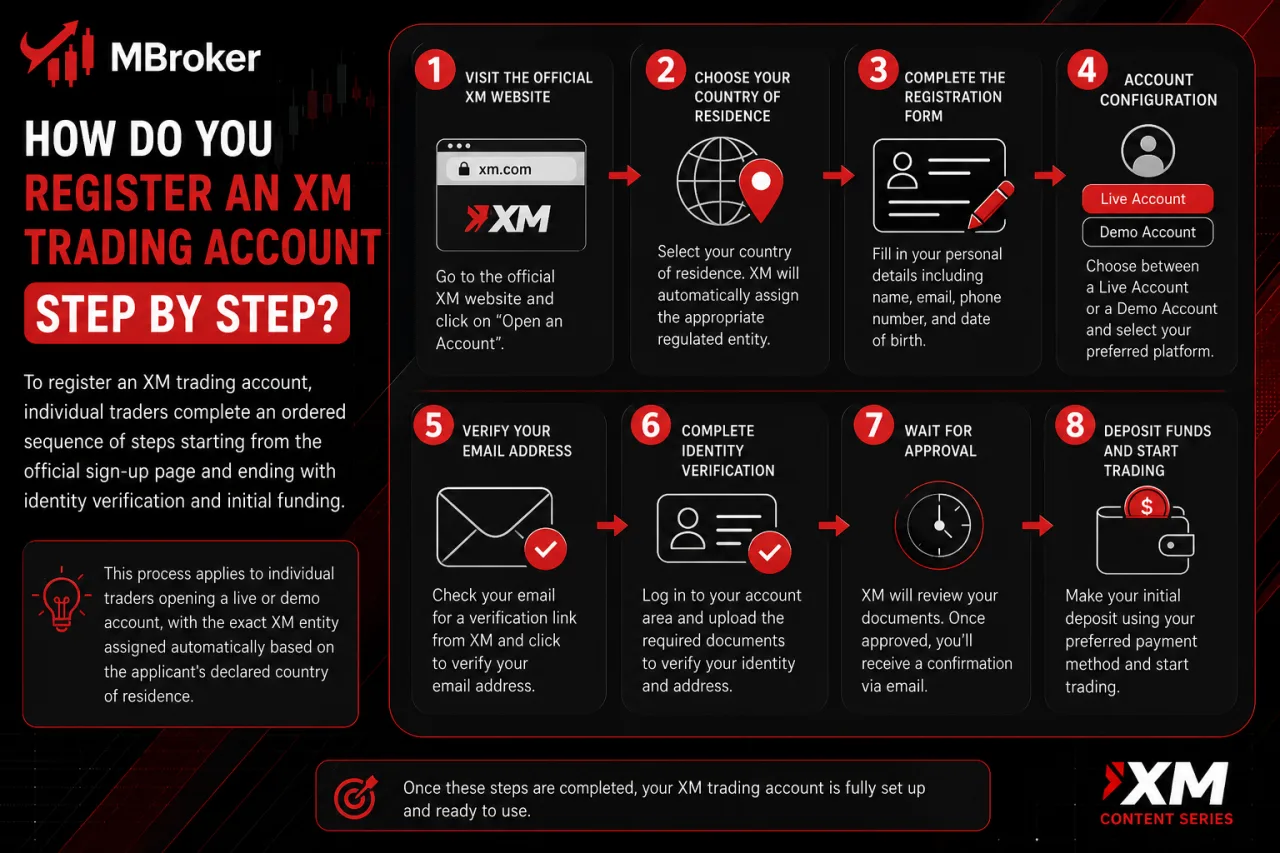
To register an XM trading account, individual traders complete an ordered sequence of steps starting from the official sign-up page and ending with identity verification and initial funding. The exact XM entity assigned to the applicant depends automatically on the declared country of residence. This sequence applies to individual traders opening a live or demo account.
The process breaks down into distinct sub-stages, each covering a specific part of the sign-up flow, from entering personal details to submitting verification documents. The sections below walk through the full ordered procedure, what to prepare for each stage, and what result to expect once the account moves from pending to fully verified status.
What Should You Prepare Before Starting XM Registration?
Before starting XM registration, applicants gather five basic items: full legal name, valid email address, phone number, country of residence, and eligibility confirmation regarding age and location. This preparation step addresses what information the sign-up form and later verification stages require before an account moves toward real trading status.
The initial sign-up form only asks for basic contact and identity details, while identification documents get requested later during the verification stage. Applicants prepare the following before beginning:
- Full legal name matching the identification document to be submitted later
- Active email address used for confirmation links and account correspondence
- Phone number for contact verification during account setup
- Country of residence to determine the applicable XM legal entity and account terms
- Proof of identity (passport, national ID or driver’s license) prepared in advance for the verification stage
- Proof of address (utility bill or bank statement) prepared in advance for the verification stage
Eligibility also requires meeting the minimum age of 18 (or the legal age in the client’s country of residence) and residing outside countries restricted under XM’s Client Agreement, Terms and Conditions of Business.
Applicants residing in a restricted jurisdiction or unable to meet the minimum age threshold cannot complete registration, regardless of how the sign-up form is filled out.
What Happens After You Submit the XM Registration Form?
After submitting the XM registration form, XM sends a confirmation email containing an activation link that the applicant clicks to verify the email address and activate login access to my.xm.com. This step addresses what happens between submitting the sign-up form and gaining actual access to the trading account.
Once the activation link is clicked, the account moves into a pending status that allows login to the Members Area but restricts deposits and live trading until identity verification finishes. From this point, the applicant follows a short sequence:
- Log in to my.xm.com using the registered email and chosen password
- Complete the real account application with personal and financial details if not already submitted
- Upload identity and address documents through the verification section of the Members Area
- Wait for XM review of the submitted documents before the account status changes to verified
No deposit or live trade executes until XM confirms the submitted documents match the applicant’s declared details. Applicants who do not receive the confirmation email check spam folders or request the link again from the registration page before contacting XM support.
Where Is the Official XM Registration and Login Page: xm.com or my.xm.com?
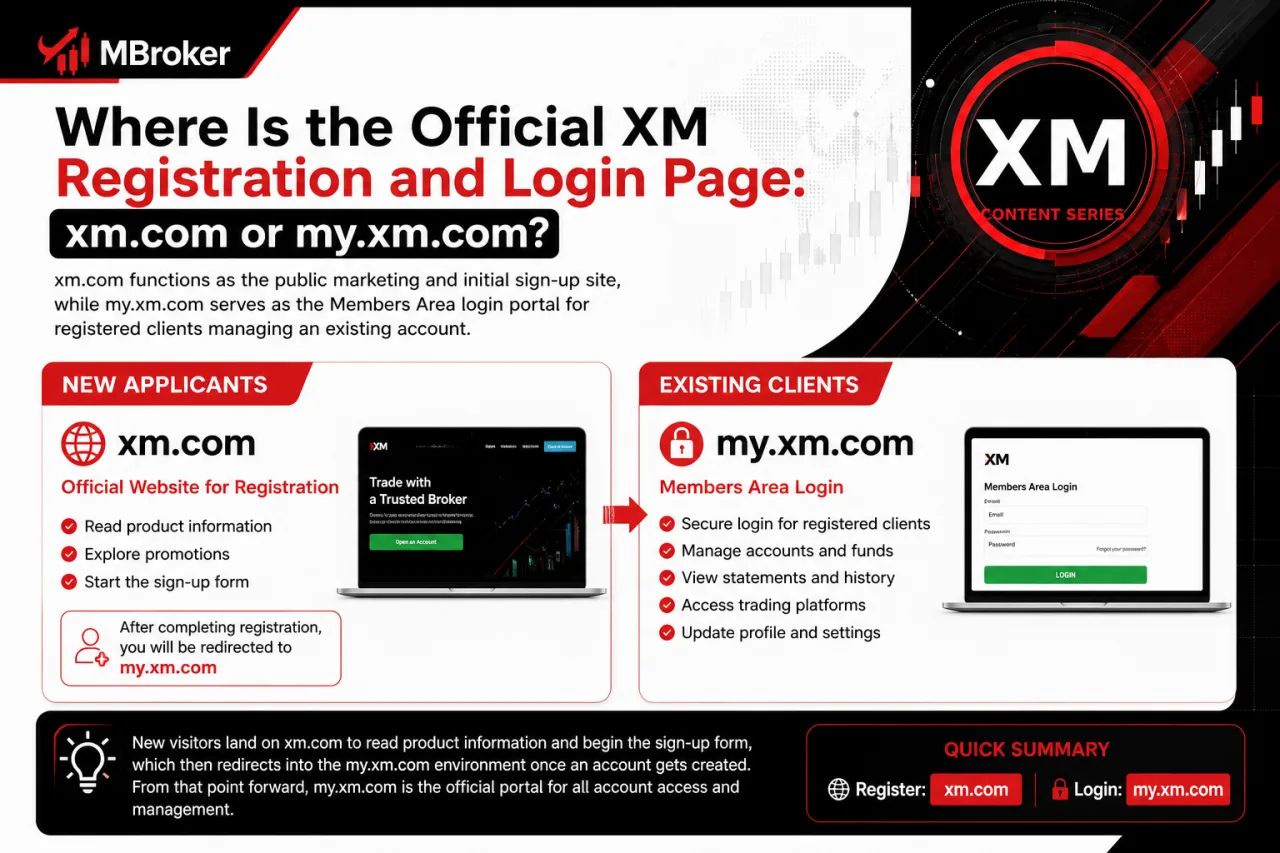
Xm.com functions as the public marketing and initial sign-up site, while my.xm.com serves as the Members Area login portal for registered clients managing an existing account. This distinction addresses which domain new applicants use to start registration versus which domain existing clients use afterward for account access.
New visitors land on xm.com to read product information and begin the sign-up form, which then redirects into the my.xm.com environment once an account gets created. From that point forward, all login, verification and account-management actions happen exclusively through my.xm.com:
- Logging in with the registered email and password
- Uploading identity and address documents for verification
- Depositing or withdrawing funds once the account is verified
- Updating personal details or account settings
Third-party sites or unofficial links claiming to offer an “XM login page” carry phishing risk and should not be treated as legitimate access points; the only official access points are xm.com and my.xm.com.
Bookmarking my.xm.com directly, rather than clicking search results or emailed links, avoids exposure to spoofed login pages.
What Are the Main Steps in the XM Account Opening Process: Profile Registration, Real Account Opening, and Verification?
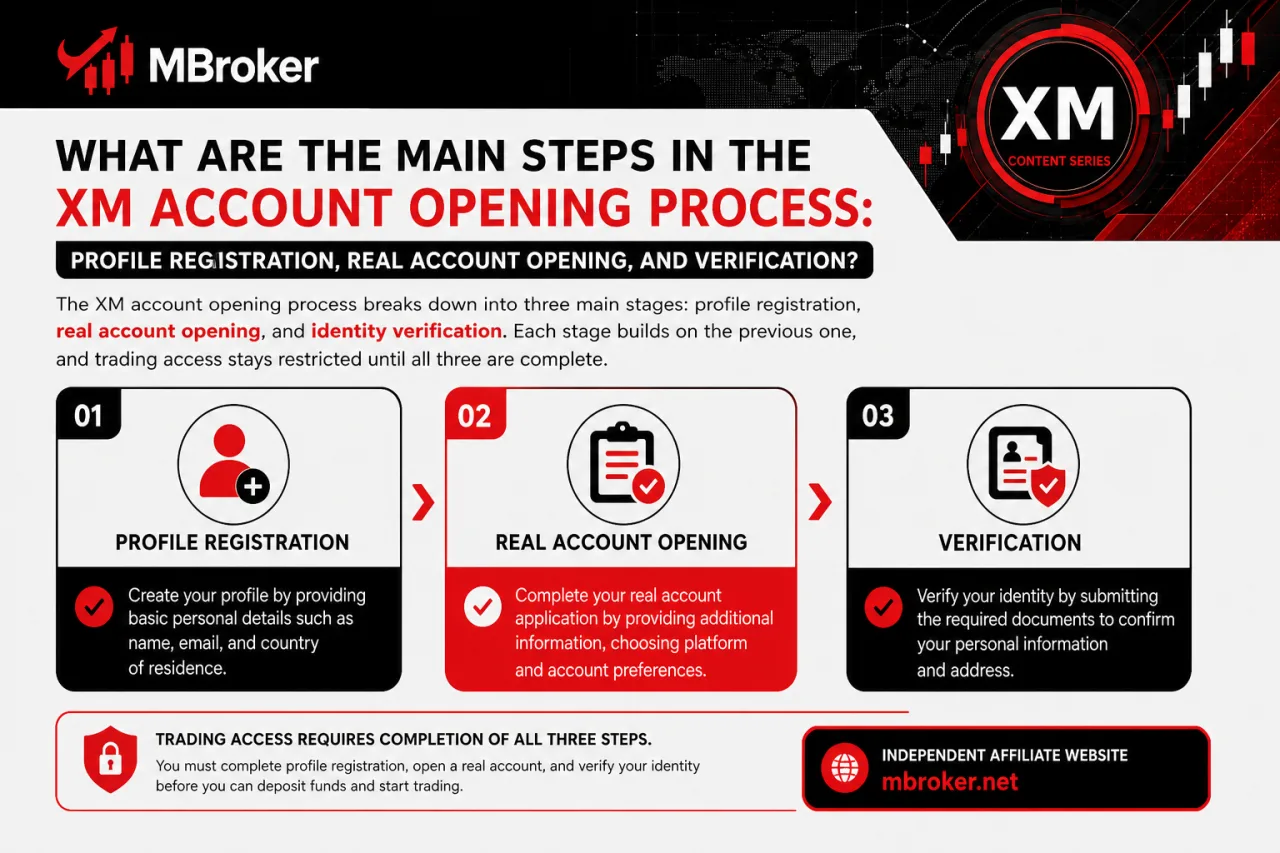
The XM account opening process breaks down into three main stages: profile registration, real account opening, and identity verification. Each stage builds on the previous one, and trading access stays restricted until all three are complete.
- Profile registration: entering personal details such as name, email, country of residence, and creating login credentials.
- Real account opening: selecting account type, base currency, leverage, and trading platform.
- Identity verification: submitting proof of identity and proof of address documents for approval.
The sections below cover the specific actions and choices required at each stage, from entering personal details to submitting verification documents.
How Do You Open an Additional Real Trading Account After Initial Registration?
To open an additional real trading account after initial registration, verified clients log into my.xm.com and submit a new account application without repeating the identity and address verification already completed. This process addresses how existing XM clients expand their trading setup once the original account has passed verification.
Since XM ties identity documents to the client profile rather than to a single account, the platform reuses the existing verification status for every extra account opened under the same profile. From the Members Area, the client follows a short sequence:
- Select “Open Additional Account” from the account management section
- Choose the account type matching the intended trading strategy or instrument group
- Set the leverage ratio for the new account, subject to the limits assigned by the applicable XM entity
- Pick the base currency for the new account
- Confirm the application to generate a new account number instantly
No fresh document upload occurs at this stage, since XM applies the client’s existing verified status across all real accounts held under one profile. Clients holding multiple accounts still fund each one separately through a deposit or an internal transfer between XM accounts, since balances do not merge automatically across account numbers.
How Do You Complete Identity and Address Verification for a New XM Account?
To complete XM Verification, applicants must submit a government-issued identity document and proof of address through the Members Area for XM’s compliance team to review before the account receives the required verification status. This step addresses which documents count as acceptable proof and how the upload process works once a real account application has been submitted.
XM accepts a limited set of document types for each category, and the review only proceeds once both categories are submitted together. Accepted documents include:
- Passport, national ID card, or driver’s license for proof of identity
- Utility bill, bank statement, or official government correspondence for proof of address
Uploading happens directly through the verification section of my.xm.com, where the client selects the document type, attaches a clear digital copy or photo, and submits it for review.
Verification is generally required before withdrawals are processed on an XM account, and some legal entities may restrict live trading until documents clear review. Applicants whose documents get rejected receive a notice specifying the issue, such as blurred images or mismatched names, and resubmit corrected copies through the same Members Area section.
Is XM Personal Trading Account Registration Different from XM Partner Account Registration?
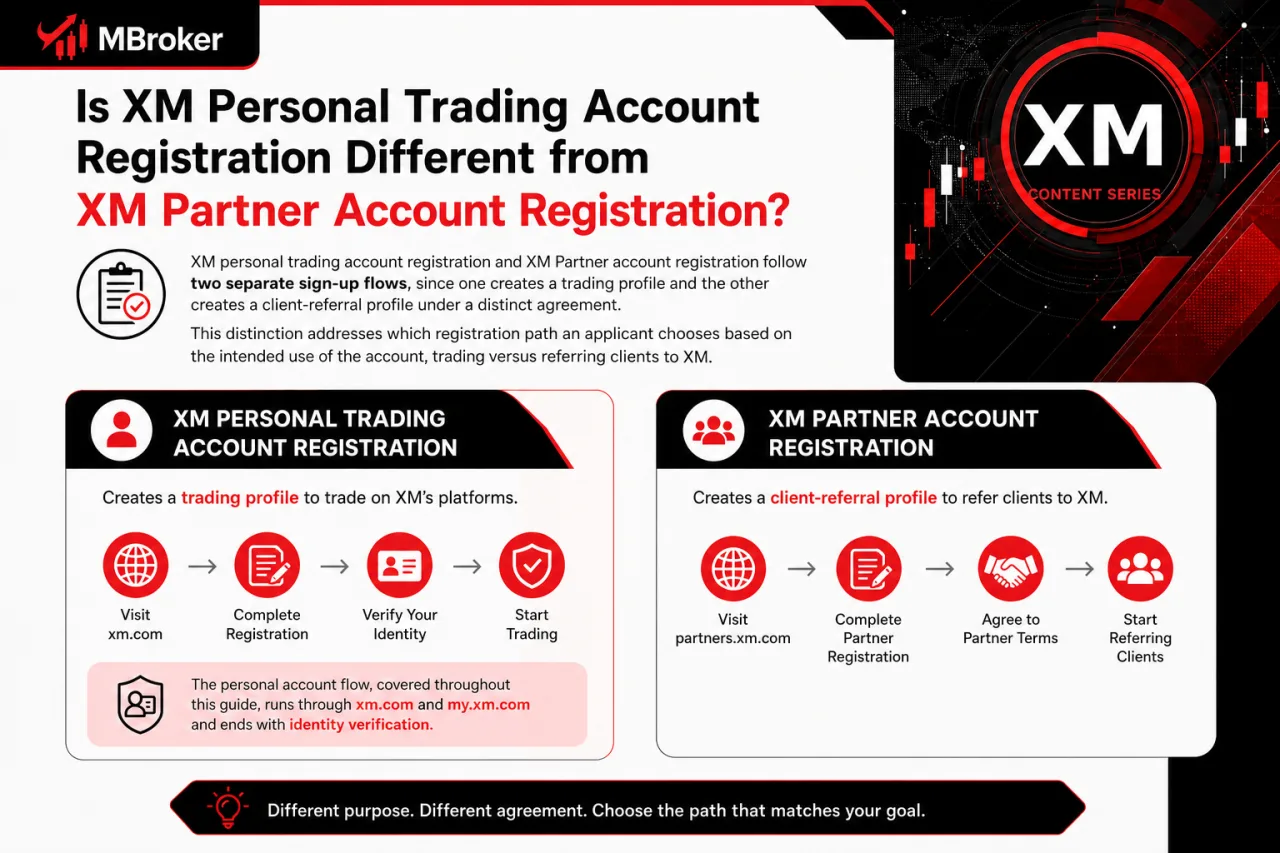
XM personal trading account registration and XM Partner account registration follow two separate sign-up flows, since one creates a trading profile and the other creates a client-referral profile under a distinct agreement. This distinction addresses which registration path an applicant chooses based on the intended use of the account, trading versus referring clients to XM.
The personal account flow, covered throughout this guide, runs through xm.com and my.xm.com and ends with identity verification before live trading. The separate XM Partner registration process uses a dedicated application form and partnership agreement, allowing eligible affiliates to earn commissions from client referrals rather than trading through a standard personal account.
A few points mark the difference:
- Purpose differs: personal accounts trade financial instruments, Partner accounts refer clients and track referral commissions
- Application form differs: personal registration uses the standard sign-up page, Partner registration uses XM’s dedicated partner platform
- Agreement differs: personal clients accept the Client Agreement, Partners accept a separate partnership agreement
- Verification requirements differ: personal accounts require identity and address documents before trading, Partner accounts follow their own onboarding checks
Applicants intending to trade with real funds use the personal account registration process described above rather than the Partner sign-up form.
What Common Registration Errors or Delays Should You Watch Out For When Signing Up with XM?
Yes, common XM registration errors and delays exist. These issues cover duplicate account detection, unsupported country restrictions, missing confirmation emails, and document rejection. This issue addresses which errors block a new sign-up versus which ones only slow down verification, and when contacting XM support replaces attempting to re-register.
XM flags a duplicate account when the system detects a name, email, phone number, or identity document already linked to an existing profile. This flag addresses why a new sign-up attempt gets rejected even when the applicant believes no prior account exists. Applicants recovering a forgotten account should use the password reset function instead of submitting another registration form. Those who previously closed their account can review our Delete XM Account guide to understand closure and reactivation procedures before contacting XM support about opening a new account.
Applicants residing in a jurisdiction excluded under XM’s Client Agreement cannot complete registration, regardless of how the sign-up form is filled out. The assigned legal entity depends on declared country of residence, so applicants uncertain about eligibility confirm current jurisdictional coverage through official XM contact channels before attempting sign-up again.
XM rejects verification documents for blurred images, mismatched names, expired dates, or incomplete document edges. Resubmission through the same Members Area section corrects the issue, provided the new copy addresses the specific reason stated in the rejection notice.
The most frequent registration obstacles fall into a few clear categories:
- Duplicate account flags tied to a name, email, phone number, or identity document already on file.
- Country restrictions arising from jurisdictions excluded under XM’s Client Agreement.
- Missing confirmation emails caused by spam filtering, a mistyped address, or a delivery delay.
- Document rejections from blurred images, mismatched names, expired dates, or incomplete edges.
Applicants contact XM support instead of re-registering whenever a duplicate flag, country restriction, or repeated document rejection persists after one correction attempt. Repeated sign-up attempts under these conditions delay resolution rather than fix it, since XM support addresses account-level flags directly.
What Should You Do If You Don’t Receive the XM Confirmation Email?
A missing XM confirmation email usually results from spam filtering, a mistyped email address, or a temporary delivery delay. Applicants check spam or junk folders first, then request the activation link again from the registration page before contacting XM support for a manual resend.
XM never asks applicants to share passwords or one-time codes during registration or verification, and any request for this information indicates a phishing attempt rather than an official XM communication.
What Should You Do If You Don’t Receive the XM Confirmation Email?
If the XM confirmation email doesn’t arrive, applicants check the spam or junk folder first, then verify the entered email address for typos, and request the activation link again from the registration page. This issue addresses the most common reason the sign-up process stalls right after form submission, before the account gains any login access.
Spam filters frequently redirect automated messages from new senders, so searching the junk folder for XM’s sender address resolves most delivery delays. A mistyped email address during sign-up also blocks delivery entirely, since the confirmation link goes to whatever address was typed, not the intended one.
If a resend attempt still produces no email after checking both causes, contacting XM support through the official channels listed on xm.com becomes the next step, since a manual resend or account-level check may be needed. Applicants avoid submitting a second registration form during this troubleshooting process, as a duplicate profile under one identity creates additional delays rather than solving the delivery issue.
Conclusion: How Do You Complete XM Account Registration?
Registering an XM trading account requires completing each stage in order: creating a profile at xm.com, confirming the registered email, opening a real account and submitting identity and address documents for verification. Applicants should provide accurate personal information that matches their documents, declare their actual country of residence and use only xm.com or my.xm.com to avoid phishing risks. Existing clients who need another trading account can open one through the Members Area without creating a duplicate profile. If a confirmation email, eligibility restriction or document rejection delays the process, contact XM through its official support channels instead of registering repeatedly.
Ultimately, the account is ready for normal use only after XM approves the required verification documents. Readers can learn more about our independent editorial approach, research standards, and XM account registration resources on the About Mbroker page.

Thoren Vextal is the XM Reviews and How-To Guides Editor at Mbroker, specializing in Forex broker reviews, financial regulation, and practical account-management guidance. He focuses on researching XM’s regulatory framework, evaluating broker conditions, and developing clear educational resources covering account registration, verification, security, and withdrawals.